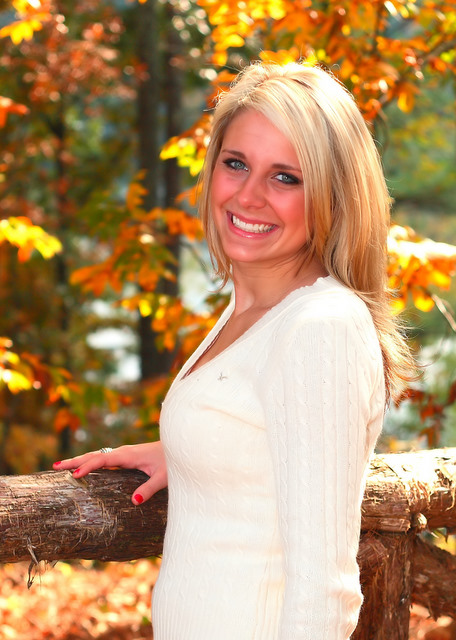
Nicely composed, good lighting and detail on your attractive models face and the fall background is a perfect setting for 'candid' portraits.
It could be that my monitor calibration is off, but she looks to have a bit of a red color caste in her face to me. If so, there are a couple simple, elegant ways to correct that in post processing that give fantastic results...
One, create a Curves adjustment layer, select the red channel and drag the center point AWAY from the word 'red'. Two, create a Hue/Sat adjustment layer, select 'red' from the popup menu and drag the slider left on the saturation slider to desaturate the red. You will be pleased with the result either way.





 Add photograph to your favorites
 Add photographer to your favorites

 Photographer found comment helpful.


