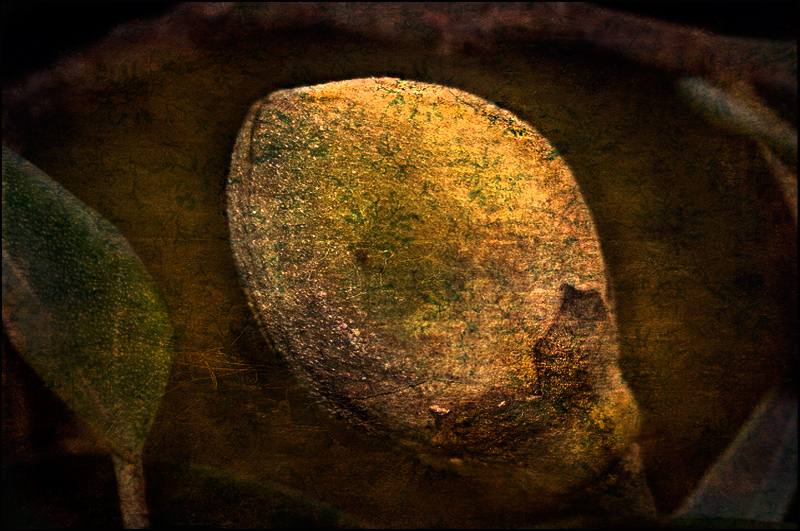
A nut on a tree, no doubt. 2 overlays. A little dark but Carivagio wouldn't mind ;)
Added new images as layers, set the mode to overlay, then dodge, burn levels, curves etc until happy. I erased over the nut with opacity @ 34% selectively on each adjustment. Roz has a great tutorial, OVERLAYS & TEXTURES TUTORIAL WITH DIAGRAMS you might want to check out.
As odd as it may sound, this would make a neat wallpaper for a kitchen, I think. The colors are nice, and I'm not normally a fan of overlays, but this one seems to work pretty well.
I like it, and had you not told me that it was a nut on a tree, I would still be guessing what it is. I am curious to see the overlays you used. I haven't used overlays often, but it is something I want to get into.





 Add photograph to your favorites
 Add photographer to your favorites


 Photographer found comment helpful.


