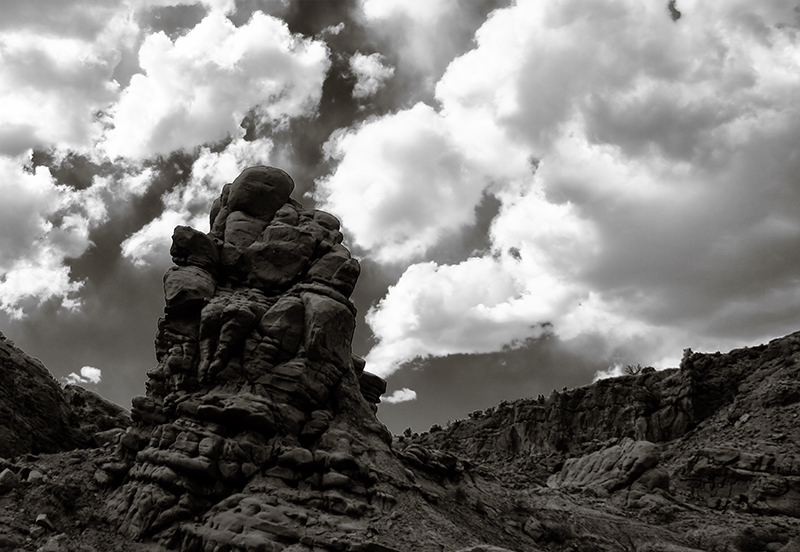
I am not a fan of creating B&W photos and I find I am not very good at it, but I needed one for DPL so I did it.
A friend and I went out to a local sandstone (I think) canyon and took a ton of photos. This one was my favorite and so I went to work editing it in my brand new PS CS2. This is the first image I will enter using PS CS2.
Guessed score = 5.1
Make me happy score = 6.0
---
Shot in JPG
Edited in PS CS2 using used Neat Image for noise reduction and Silver Efex for tonal adjustments.
Reduce noise (no sharpening in NI)
Use Silver Efex to adjust B&W (no control points)
USM
Blur more
Image size
Save for web
Note: I have done my best to follow the rules but the use of Silver Efex seems to still be in the gray area. I am using it because I have found a post from Scalvert saying it was cool to use for basic editing.
//www.dpchallenge.com/forum.php?action=read&FORUM_THREAD_ID=988969&page=1#5963554
Statistics
Place: 133 out of 382 Avg (all users): 5.6980 Avg (commenters): 6.5000 Avg (participants): 5.7353 Avg (non-participants): 5.6170 Views since voting: 1012 Views during voting: 247 Votes: 149 Comments: 6 Favorites: 0
Looks a tad over-sharpened, and somehow the way you've processed it, the sky doesn't match the land. Good rendition of texture, and sensible use of rule of thirds.






 Add photograph to your favorites
 Add photographer to your favorites


 Photographer found comment helpful.


