You are not logged in. (
log in
or
register
)
v Sidebar
Challenge Entries
This image is not a part of any challenge.
Portfolio Images
This image is not part of a public portfolio.
No. 62
krnodil
Photograph Information
Photographer's Comments
Galleries:
Abstract
,
Digital Art
Date Uploaded:
Jan 7, 2010
Viewed:
191
Comments:
2
Favorites:
0
Add photograph to your favorites
Add photographer to your favorites
a
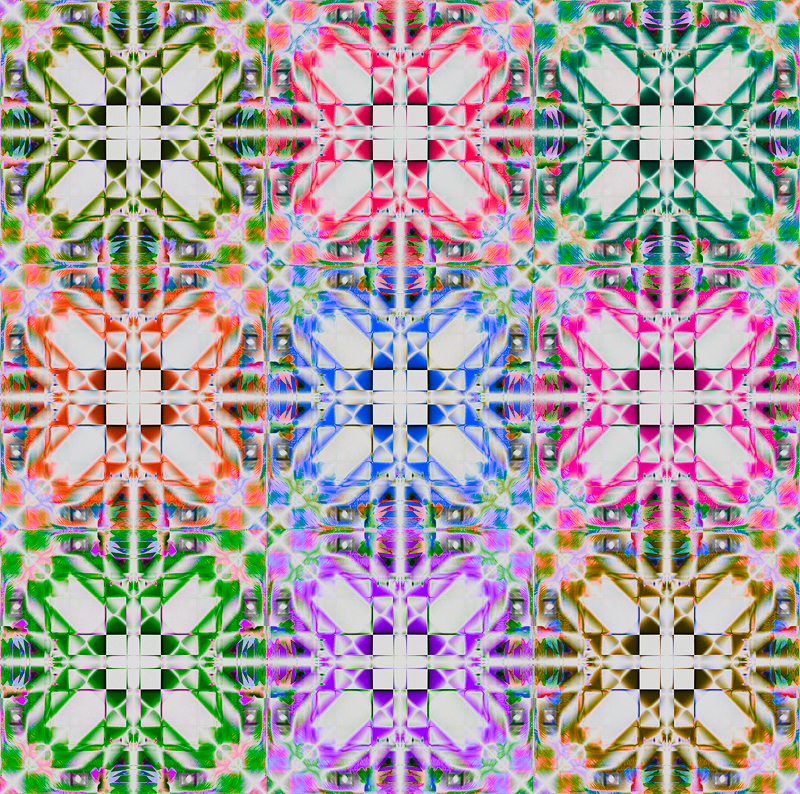
flip-and-blend
of this shot:
---------------------------
steps:
1.std flip and blend using difference mode - horizontal, vertical, 90 degrees
2.auto color, auto contrast
3.levels adjust, right slider in to 247
4.produced 9 different files, altering the overall hue for each one
5.created a new file and pasted all nine squares into the document; flattened layers
6.curves adjust, "negative" preset, luminosity blend mode
7.copy curves layer, set to multiply blend mode, adjust opacity and fill %s
8.brightness +41, contrast +20
9.saturation +20
10.resize, sharpen, resize, save for web
Please
log in
or
register
to add your comments!
Author
Thread
jomari
Nikon D7000
Nikon AF-S DX 18-105 f/3.5-5.6 ED VR
01/22/2010 05:34:01 PM
That is very effective with all the differently hued 'tiles'.
Photographer found comment helpful.
sfalice
Canon PowerShot SX60 HS
01/22/2010 12:05:54 PM
Hmm, the thumbnail gives it a bit of a delicate touch; this size gives it quite a bit of power. Nice one, really good colors!
Photographer found comment helpful.




 Add photograph to your favorites
 Add photographer to your favorites


 Photographer found comment helpful.