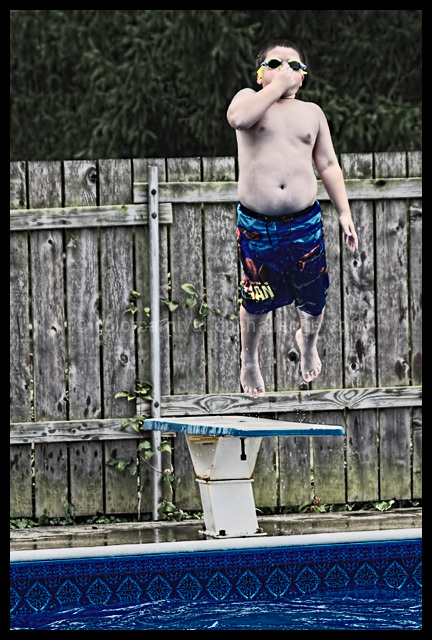
I personally enjoy those photos that have that slight tint of color to them, but could not do all I wanted with basic eding. Sure to be slammed for the color or the processing.
Shot in RAW
In Silkypix, adjusted tone/contrast
Converted to jpg
In Photoshop, applied Topaz Denoise.
Then applied Topaz Detail to enhance the details and desaturate colors.
Used a layer of HSL to decrease the color some more.
And a layer of Brightness/Contrast.
Rotate, crop, Resize.
Apply Topaz Detail again to enhance the nostalgic look. (I believe that this part could also be created with levels or curves and more adjustments with brightness/contrast)
Add border. Submit.
Statistics
Place: 119 out of 194 Avg (all users): 5.1801 Avg (commenters): 6.0000 Avg (participants): 5.0000 Avg (non-participants): 5.2959 Views since voting: 693 Views during voting: 252 Votes: 161 Comments: 5 Favorites: 0
Normally I think the over-saturation and over-sharpening is over-used to hide a bad photo, but I don't think that's the case here. The photo looks evenly exposed with good vivid color, so I don't know why you tried to enhance it so much.






 Add photograph to your favorites
 Add photographer to your favorites

 Photographer found comment helpful.


