PSP: Adjust > Brightness and Contrast >Clarify (3)
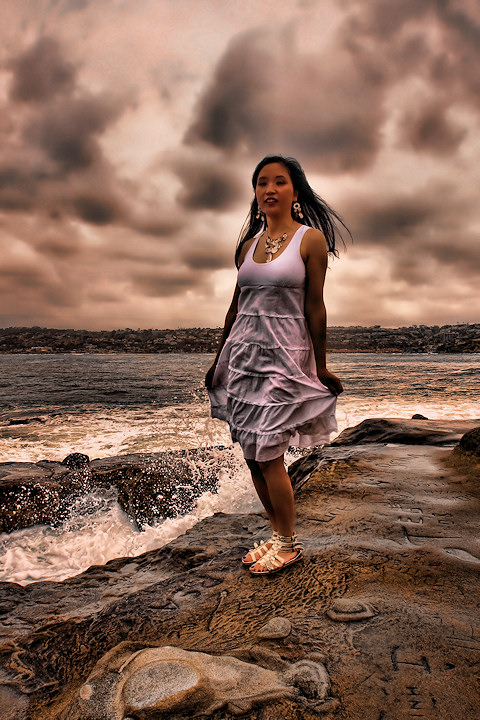
Topaz Adjust: Flat and Smooth Layer (defaults), erased Rocks, Ocean, Horizon Landscape, Hair and Parts of the dress. There were areas of the dress I wanted smoothish so used the mask to bring slight detail back through.
Merged down on copy of Background Layer.
Topaz Adjust: Vibrance (defaults)
PSP: Adjust > Brightness and Contrast >Clarify (3)
PSP: Adjust > Digital Camera Noise Removal
PSP: Adjust > Sharpness > Unsharp Mask (Highres Normal)
This is gorgeous! Tones are yummy, I love the detailed splash, and I just found flat and smooth filter myself and agree that is is wonderful; you've used it masterfully here.
What a difference! Takes something that would likely get slammed in a challenge as a snapshot and turns it into something that reminds me of a recent blue ribbon winner.
Thanks for listing your editing steps. I'll have to give this a try.
Wow - there are so many facets of this photo that benefit from Topaz, that just clarify / shadow-highlights alone could not achieve. The waves, clouds, rock, dress... are all so well defined and dimensional. Excellent job.






 Add photograph to your favorites
 Add photographer to your favorites

 Photographer found comment helpful.


