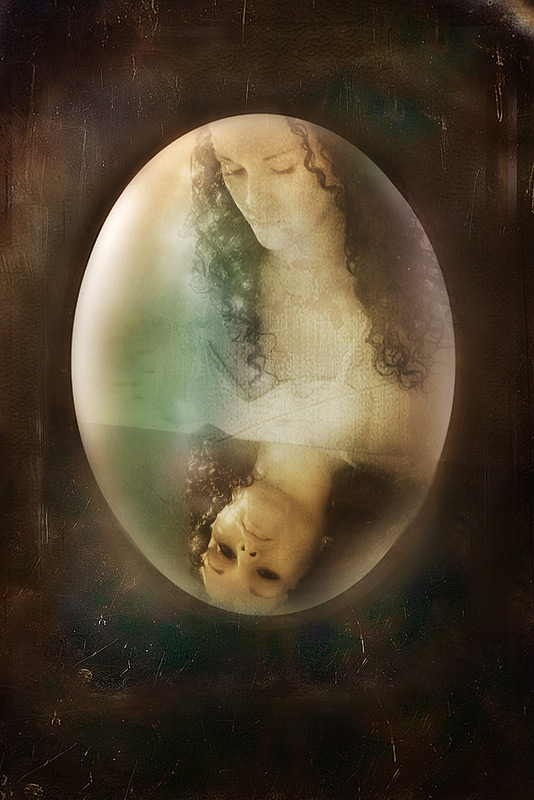
I used the border overlay twice to get a little better coverage of darker colour. Once on the edge, and then a smaller version inside of that, and used a mask to blend the edges, and any bits I didn't like. I also used three solid colour filters, with masks, (brown, green and blue) to tone the colours on the inner circle. I also used a screen filter and a multiply filter, with GB and masks, to intensify the colour, and highlight the contrasts. Then a bit of dodge and burn, and finally a small crop and a curves layer.
A fairy tale image, looks like there might be a fairy godmother or a poisoned apple in the story. The dark chocolate border seems both a prison & a citadel.
Oh - fairy tale illustration here. Is she seeing her true evil self in the reflection, or is it about to take on a life of its own? The way we see her dark brooding eyes makes the beautiful girl rather sinister when we see her in the looking glass. I have found that brushes can really make a photo and indeed this did. I rarely read all of the technical explanations because I'm so intrigued by the finished product that I don't care how you got there. LOL WELL DONE
this is really good...you know if you changed her to B&W it would look like a really cool "old time" photo...excellent notes...thank you so much...I really get alot out of that kind of information...




 Add photograph to your favorites
 Add photographer to your favorites


 Photographer found comment helpful.


