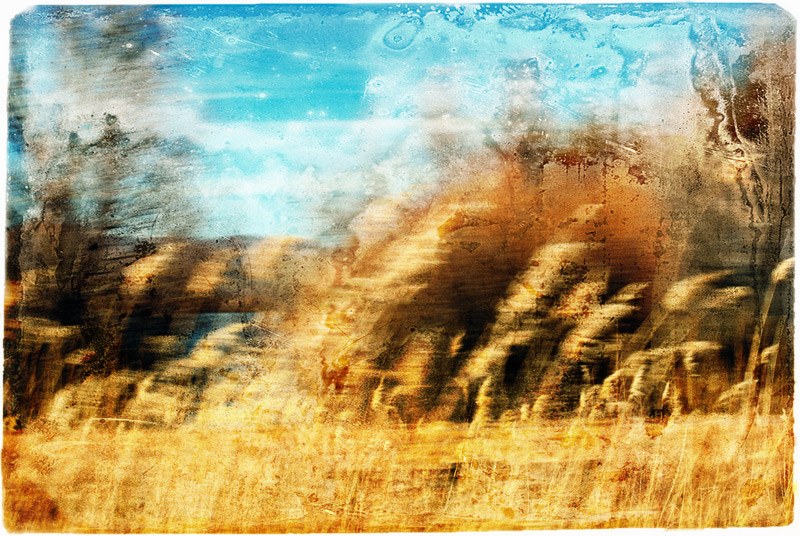
This blurry image of a field was taken while driving (about 10mph) through the Bosque del Apache Wildlife Reserve in New Mexico. Since I was shooting with a small aperture I had lots of visible dust (gotta clean the sensor one of these days...) so I felt I needed a really grungy overlay.
Processing in CS3:
Color Efex Pro pro contrast filter
Image listed below as new layer, overlay blending mode 94% opacity
Combine the two layers to create new layer (shortcut is ctrl+alt+shift+e)
Color Efex Pro bi-color filter
The 'overlay' I used for this can be found in the Library of Congress archives here. This is a daguerreotype; there are tons of these that don't have an identifiable image of a person or thing so they make great overlays. They are in the public domain. There are other collections that are interesting, not only for the photography but for ideas for overlays.
Oh, that is AWESOME, Colleen! I'm so looking forward to this month of these types of photos! And I copied so many of your great overlays from the library. It seemed most of my favorites were yours.
Colleen I am sooo looking forward to a month of your images I always learn so much and gain so much inspiration :) Asd usual this has the perfect processing for this




 Add photograph to your favorites
 Add photographer to your favorites

 Photographer found comment helpful.


