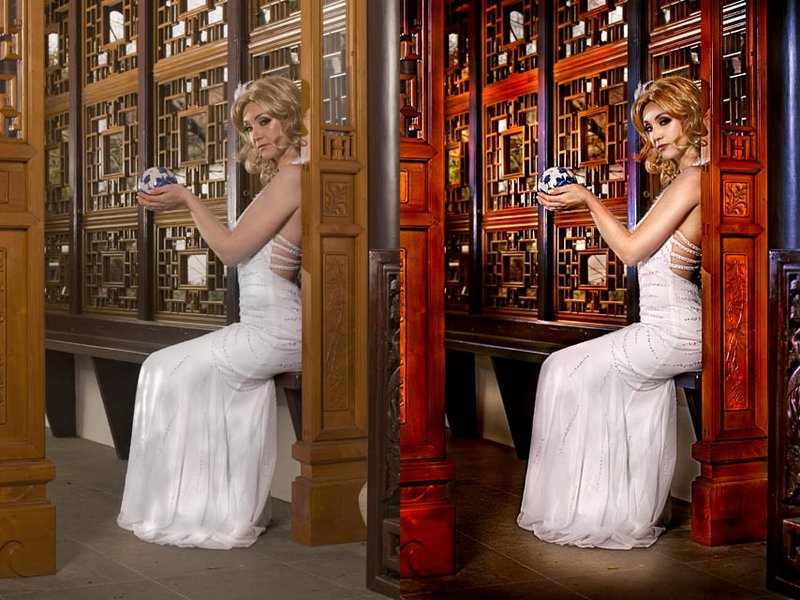
-shadow/highlight to flatten image
-high pass layer set to overlay
-create blue layer set to overlay carefully masked onto the dark brown areas
-mask off all adjustments of model and edit seperately
- tons and tons of selective dodging and burning
- on model, lots of D&B, patch tool to remove blemishes/even skin, liquify to slim arm, a little orangeypinkish paint on overlay, add eye shadow/lip color
-little bit of blur, little sharpen
- contrast adjustment layer
That covers the jist of it anyhow. The key is pushing the D&B. I never really know how an image is going to turn out until I start actually playing with it.




 Add photograph to your favorites
 Add photographer to your favorites

 Photographer found comment helpful.

