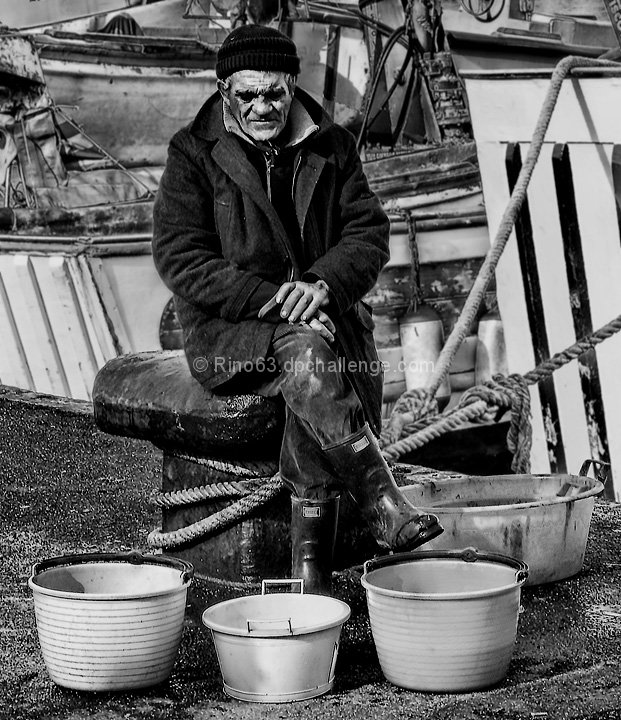
develop the raw with dpp. in photoshop: rotation and crop, new level and overlay, lucis art, B&W convertion with channel mixer, clone out some point and a little object on the background, select the background and gaussian blur,selective gaussian blur for the jpg artifact,smart sharpen.
Statistics
Place: 113 out of 454 Avg (all users): 5.9250 Avg (commenters): 5.7500 Avg (participants): 5.7963 Avg (non-participants): 6.1923 Views since voting: 985 Views during voting: 228 Votes: 160 Comments: 7 Favorites: 1 (view)
Interesting subject but I think your choices with levels / curves / contrast haven't quite delivered the potential in this image. This result gives blocks of black, white or grey within which detail might have been expected.





 Add photograph to your favorites
 Add photographer to your favorites

 Photographer found comment helpful.


