Open RAW in DPP
Adjust Brightness
Convert to JPEG
Open in CS3
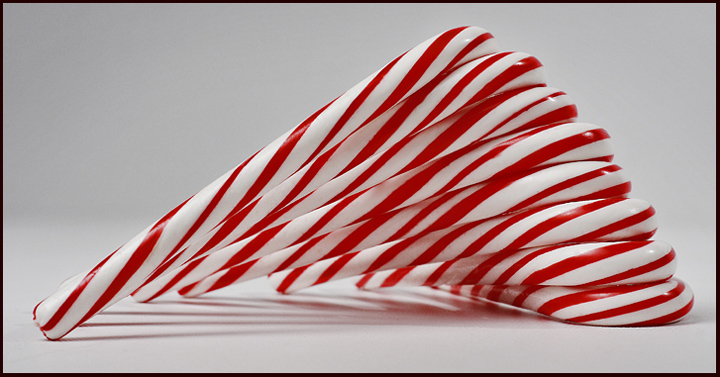
Lots of healing and cloning on the candy to clean it up and make it perfect on a new layer.
Curves Adjustment layer
Channel Mixer Adjustment layer Monochrome, red to black and green and blue for brightness of whites, adjust mode to screen, opacity to 26%
Some smudging on the candy to make it smoother, reduce layer opacity to 50%
New Layer converted to B&W. Made reds really black, changed blending mode to multiply opacity to 50%
Flattened all
USM @ 150, 1.5, 2
Resize for challenge
GB @ 1px use fade command to 5%
USM @ 50, .5, 0
History brush set to resize on everything but the canes
Canvas size to add border
Resize again for challenge
Save
Statistics
Place: 31 out of 89 Avg (all users): 5.8650 Avg (commenters): 6.1667 Avg (participants): 5.4773 Avg (non-participants): 6.0084 Views since voting: 1291 Views during voting: 356 Votes: 163 Comments: 8 Favorites: 2 (view)





 Add photograph to your favorites
 Add photographer to your favorites

 Photographer found comment helpful.


