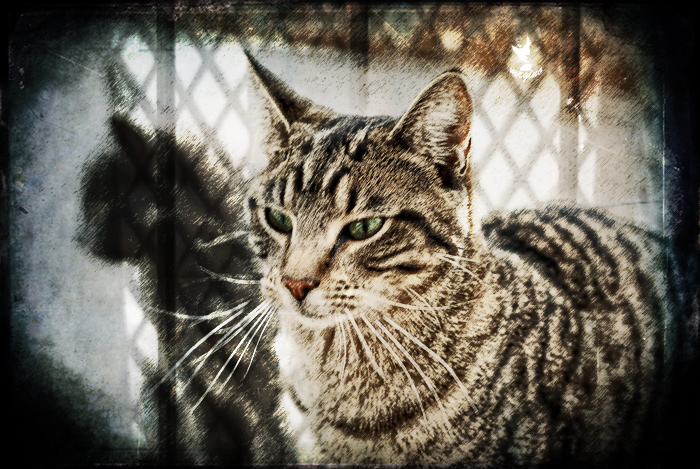
Processing:
LucisArt Whyeth
Photoshop filter graphic pen, normal mode 46% opacity
Copy eyes from whyeth layer, add more green
Copy green eyes, set to screen to lighten, reduce opacity to taste, combine with other eyes, reduce opacity to tase
Germaine's border, multiply mode 100% opacity
Goodman's Feb layer, overlay mode 100% opacity
My shopping cart desaturated, overlay mode 88% opacity with layer mask over cat
original sucky OOF image
Great composition not only for the original, but also for the layers combo. I especially like the grocery cart! I'd never have thought of that on my own. I'm off to the store...
mad colleen . great to see you here with another brilliant cat image for us to look at .. i'm always aiming for that razor sharp look, but when i see this i think 'WOW' .. its just excellent .. very grungy in a way ..love how you've made the other cat look like a shadow .. your processing is excellent .. this cat looks very caged .. :)
This reminds me a little of my kitty (which makes me sad because after Christmas she's going to live with my step-daughter far away and I'll miss her...ok, it is her cat, but I'll still miss her). Some interesting textures going here.




 Add photograph to your favorites
 Add photographer to your favorites


 Photographer found comment helpful.


