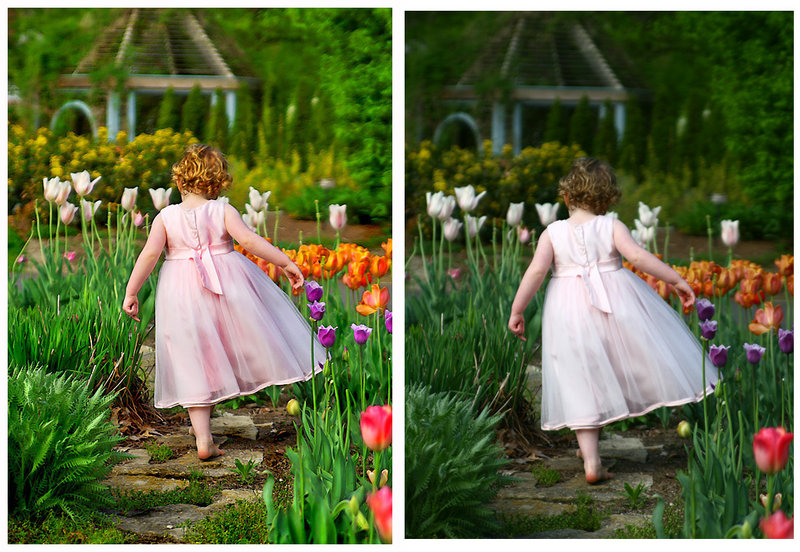
This shot had alot done to it. I cant remember each tool and in what order but I can list the tools I used.
Shadow/Highlight (since getting PSCS3 I now use this on all of my images first thing)
Neat Image - almost always my second step
Here on out it gets murky -
selective color adjustments (several),
hue/sat adjustments (several),
levels,
alot (and I mean ALOT) of dodging and burning,
there is a light watercolor filter on this but masked off of my model (I just wanted a little to enhance the background and flowers),
gaussian blur faded low for the extra soft feel
probably more of all of the above
resize for web,
USM
more dodge and burn and color tweaks,
Sharpen brush on parts of the walk path
border
None of these steps are out of the ordinary for the post processing that I do. This shot may have had more done to it overall but I almost always use the same tools.
Not to be pedantic, but it's really after and before. :-) And if you're willing, kindly share your editing steps. You did turn on the nifty feature that records them for you, right?




 Add photograph to your favorites
 Add photographer to your favorites

 Photographer found comment helpful.

