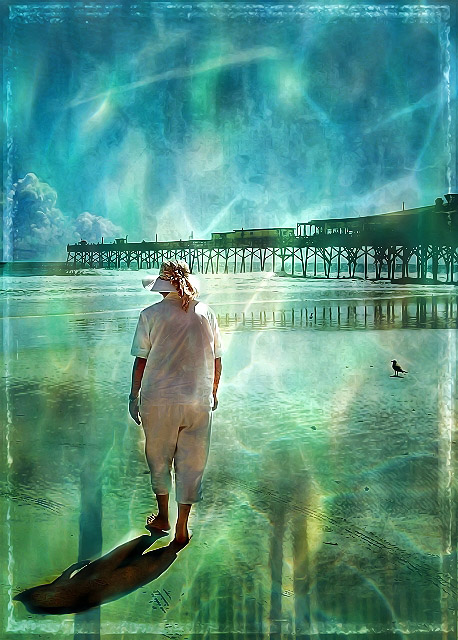
I took this photo of my mom on the beach in Daytona and did all the balancing stuff to make it pretty and palatable:
[thumb]615471[/thumb]
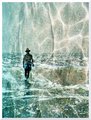
Then I layered it at 40% opacity with this filter from joynim:
It's quite small - so I made it fit the canvas and then erased the portions over my mom, her shadow, the bird and the clouds in the back left. Used 20% eraser and blurred over the edges.
Then I used SJCarter's underwater filter - I love that one:
I flipped it so the blue portion was on the left side and used the overlay blending mode. Again I erased mom, shadow, bird, clouds.
Then... I used (you'll have to tell me whose filter this is) the Vintage BG filter, which also created the subtle frame:
More erasing. In between I upped contrast on some of these - you know how it is when you get carried away and I don't keep notes.
Finally, in the layering frenzy I was in, I used the Shallow Water filter - it's my own - scaled it to fit the canvas and flipped it upside down:
More selective erasing. You can see that I left a little bit of filter here and there on mom's figure and on the clouds, too.
I think that's the most filters I ever used. If I hadn't been tired, I probably would have come up with another layer.
so she's actually on the beach, looking at the water, and looking as though she's UNDER the water!
nice lines from the pier, light shadows and the "water"
i really really like this !!!!! .. the brightness is fantastic and your overlays work so well .. love the colours, the light, your mum there walking in this brilliant scene .. the bird !! .. THOSE CLOUDS .. !! .. and the jetty .. everything works so well together .. love the low key frame too .. wonderful alicia .. !! .. :)






 Add photograph to your favorites
 Add photographer to your favorites




 Photographer found comment helpful.


