Author Thread
Post actions
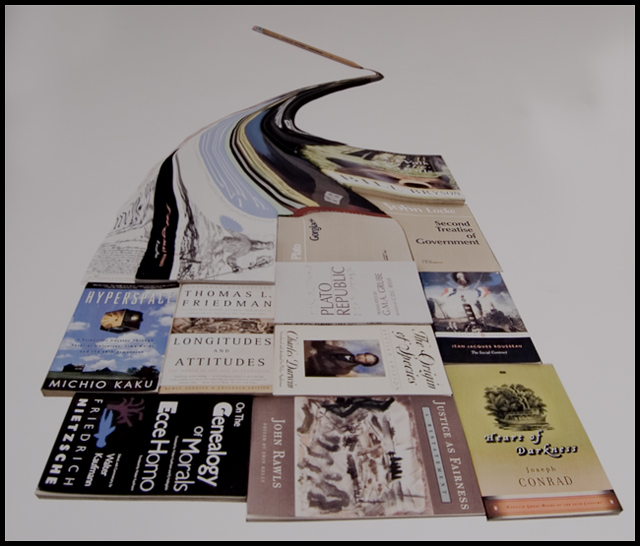
For those of you who asked, this is my original:
Comments Made During the Challenge
Post actions
one of my favorites, great idea just wish it were a little brighter
Post actions
I'm wondering how you did that, and looks to me that it does not comply with basic rules. Nice idea anyway.
Post actions
Very nice photoshop skills. Hope a ribbon comes out of this.
Post actions
lighting seems a bit drab and flat, focus could be a bit sharper, creative idea though
Post actions
interesting idea and I'm curious how you set this up. I think it would be improved if you were background were white instead of grey. It makes the image look dull.
Post actions
Post actions
Nice creative idea. My only change would be to boost the levels to make the background white, not grey. Perhaps opening up a stop would work better.
Post actions
Post actions
Great idea and great composition. A bit more contrast would make this pop a bit more (if whites were more white). I also kinda wonder how in the world this was done.
Post actions
you'll have to explain afterwards how you did it. could do with being a bit brighter...







 Add photograph to your favorites
 Add photographer to your favorites


 Photographer found comment helpful.


