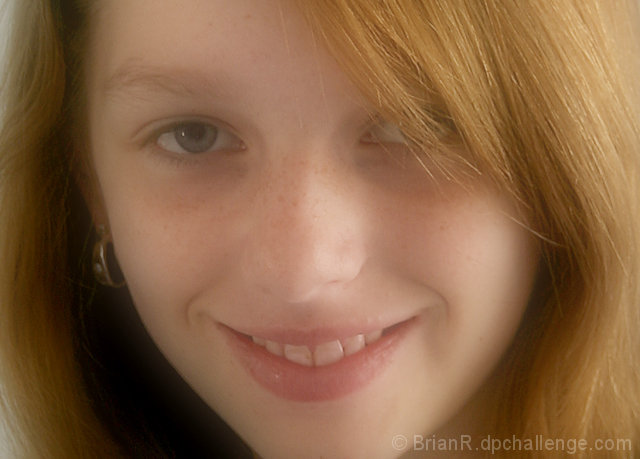
This is Cassie 14yrs from next door,taken using natural light from the right.
Color Tone in Lightroom 1.2 & cropped.
Photoshop
Usm
Adjustment curves layer
Merge down
Duplicate layer Gaussian blur 80 pixels
Fill opacity change 65%
Merge down
Contrast +15
Border
All This was done in normal mode.
This method is the same as useing,
Edit - Fade Gaussian blur. apparently the rules mean you can only reduce opacity this way in basic editing.
Disqualification Details
You may use only Adjustment Layers (or their equivalent). An Adjustment Layer is a special type of layer containing no image data that lets you experiment with color and tonal adjustments without permanently modifying the pixels. Adjustment Layers must be applied in Normal mode.
So sorry for the DQ, so many got one in this challenge it seems. Nevertheless this is really lovely - she has such a natural and relaxed smile, great direct-but-not-confrontational gaze, and the lighting is gorgeous - she really glows.
The DQ sucks but this is an awesome portrait, which is far, far more important than a score at DPC. You really did nail the challenge with this one. Lighting is perfect, great composition as well. Very nicely done!






 Add photograph to your favorites
 Add photographer to your favorites


 Photographer found comment helpful.


