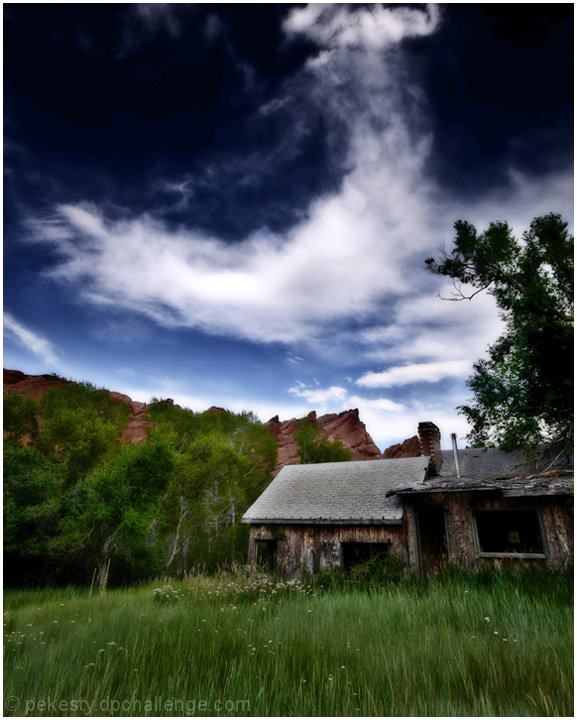
Maybe I stayed up a little too late, but I'm seeing demons and skulls and Cookie Monsters and all sorts of other faces in that sky!
Went over the top with the processing on this one...but I felt like having a little fun!
PP:
Copied sky to new layer - levels, saturation and gradient.
Separate levels and saturation to the rest.
Flatten.
Copy background to new layer - remove color.
Copy remove color layer to new layer - apply Gaussian blur and change blend mode to multiply.
Ctl-Alt-Shift NE - shadow/highlights and change blend mode to screen. (Stamp visible)
Ctl-Alt-Shift E - apply high pass filter and change blend mode to soft light.
Ctl-Alt-Shift E - apply USM and change blend mode to luminosity. Turned off remove color, blur and stamp visible layers.
On new layers, painted trees white, applied Gaussian blur and changed blend mode to soft light(adjusted transparency).
Flatten.
Re-size.
USM.
Re-size canvas.
Save for web.
Statistics
Place: 144 out of 651 Avg (all users): 6.1563 Avg (commenters): 7.2000 Avg (participants): 6.1238 Avg (non-participants): 6.3043 Views since voting: 965 Views during voting: 209 Votes: 128 Comments: 14 Favorites: 3 (view)
Wonderful image, tone, and processing on this for the dreamy, glow look. Might be just a tad underexposed, but overall nicely done! Good luck in the challenge.
I see we enjoy the same types of scenes and editing. I really like this. If there were just something in the foreground like a person, an animal... not complaining, but in a perfect world........






 Add photograph to your favorites
 Add photographer to your favorites

 Photographer found comment helpful.


