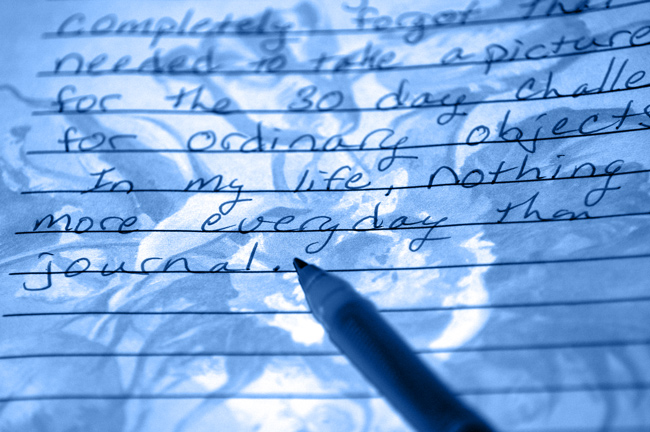
OK, I took this photo of my journal. It's a green pen on pink/beige paper in my journal. But I was playing with layers. I have no idea what I did, but it made everything blue. I liked it.
Then I tried to make a border, but I couldnt' get it to make it in Photoshop Elements, but that may be because I have 2.0.
really cool ... I wish I was disciplined enough to keep a journal ... this looks like it was taken under a black light to get this effect ... great start to the month
When I saw the thumb of this I thought it would be pretty flat, but as everyone's said, there's a lot to it. The blue does work here, but if you'd left anything not blue I think it would not have. I like that you only captured some of the words, which turns this from a picture of writing where everyone is focused mainly on the words, to an image that includes some words for interest (even though we can tell what it said). Good start to the challenge.
It looks like it's on a light box. It has that kind of luminance. I'd say you either used a blend mode difference or exclusion. Try it on a fresh picture and see what you come up with.
The blue is perfect. The paper does look 3-dimensional. I can't make borders with the Gimp either...I edit w/Gimp , then go back to my other software to add a frame. How ever you did it- it's very appealing.
so fess up -- did you write that journal entry with the photo in mind? :) (not that *I* would *ever* do anything like that ;). (you know you're obsessed when...)
The blue is a happy accident, isn't it? Is that the background of the paper that looks vaguely floral-ish? It looks almost 3-D to my eyes, with the way you processed this.
the easiest way to add a simple border is it go under image> canvas size. select how big of as border you want
you can change the color of the border by clicking on the canvas extension color
you can also add a simple border by selecting edit> stroke and selecting how many pixels you want the border to be and also what color you would like.
scwalsh
When I play around with my images in photoshop or elements, I also have problems adding a border, but if you save it first, as a image, re the processing that yiiu have done, and then re load it again, one can usually then add a border.




 Add photograph to your favorites
 Add photographer to your favorites

 Photographer found comment helpful.


