Author Thread Comments Made During the Challenge
Post actions
While I think I understand what you're going for I don't like the application.
Post actions
Now that's out of the box. Great idea.
Post actions
I am new to photoshop. Could you tell me how you fade with desat? Is there a brush involved? Oh by the way nice shot! 10
Post actions
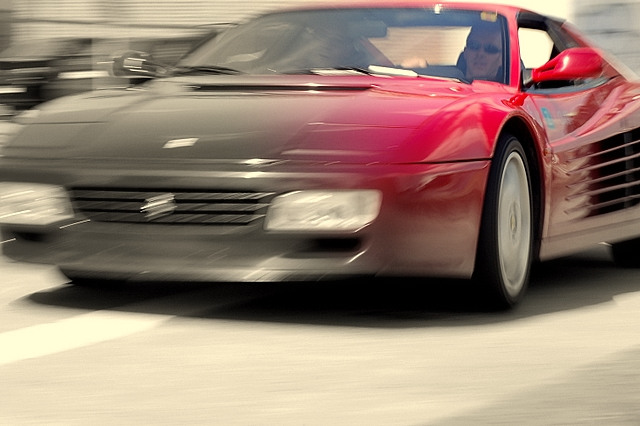
Hmmm...doesn't really work for me. It's a nice motion blur shot (zoom while shooting?) and might even look alright with the red car and the rest greyscale. ??? Good luck.
Post actions
Post actions
I don't really care for the blur, but I like the choice for desat.
Post actions
The blur to me looks like it is moving in the wrong direction. This blur would work with the back of the car.
Post actions
I'm not sure what to make of this, but I really like it. It will be interesting to see what others think! Good job on the gradient.
Post actions
seems like a cool shot, but I don't see how the selective desat helps at all. It actually detracts from it IMO
Post actions
Cool shot but I would like to see the whole car in color or just a fragment not a fading shot....sorry, 6






 Add photograph to your favorites
 Add photographer to your favorites


 Photographer found comment helpful.


