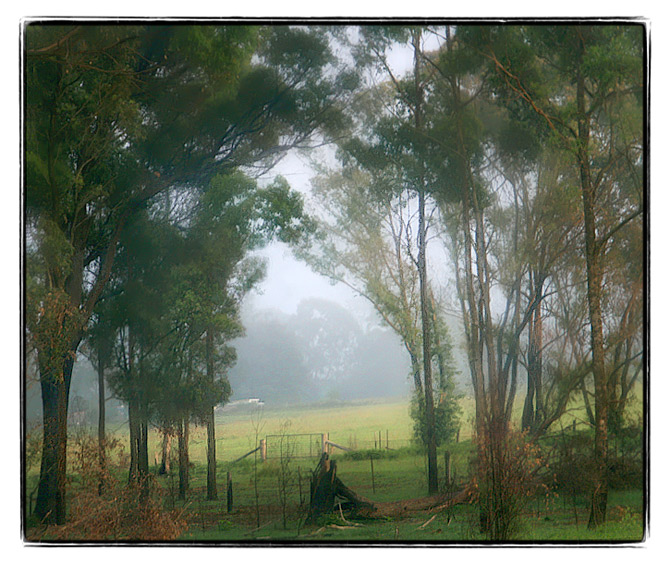
these are my editing steps ...
opened jpeg ...
cloned out tree ..
skewed image a tiny bit ...
levels adjustment layer to make image more contrasy and lighter ..
hue/sat adj layer and increased the saturation in the red, yellow, cyan and blue ..
hue/sat adj layer overlay opacity 13%
duplicated layer and used a new plug i got today called mezzoforce ice that you can get for free @ //thepluginsite.com/resources/freeps.htm#imageeffects .. you can get a whole heap of other plugs there ... i went there for a sort of white vignette but CS2 didnt like it, so i ended up getting other stuff ... anyway, i made the mezzoforce layer a screen at 47% which lightened the image even more again ...
deleted around edges of new mezzoforce layer 4 a darker vignette sort of look ...
cropped ..
resized ..
noise ninja and deleted it from various areas like in the distance & gate/fences etc ...
smart sharpen .. then i selectively sharpened more ..
did kubota sloppy border and saved for web ...
i've found with the kubota sloppy border that it slightly crops the image, so you've gotta edit/rescale the border/layer ..
I like the foggy appearance in this. It looks like there was some fog in the original, but it is enhanced in the edited. Is that the new plug-in? Just curious.
Nice one Roz, I think you are on a roll, as you are taking some magic images lately.....
This is so Australian, and so dam good.....very colonial.....
I just love the Aussie light, and the Aussie gum trees.....
This is beautiful. I noticed that lately you are also shooting at what appears to be "low" exposure in order to keep the highlights. Excellent processing. It gives this image the lost forest look.





 Add photograph to your favorites
 Add photographer to your favorites


 Photographer found comment helpful.


