this is the original ..
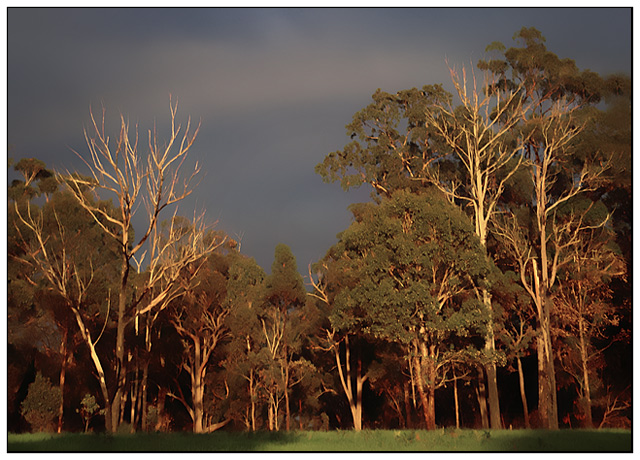
processed this days ago and came back and had a look .. i reckon i'd overdone the yellow on the dead gum tree trunks/branches ... i put it back in photoshop and reduced the yellow ...
this is it before i fixed it up ... some ppl might prefer it like this ... its just a personal opinion ...
this photograph is processed without considering basic or advanced rules for dpc .. this'd be classed as an expert edit coz of the skewing ... but these are my processing steps ..
processed thru RAW once where i boosted the red sat ..
brought the raw image into the original jpeg and made opacity of red/raw layer 45% and then merged the two ..
rotated entire image very slightly anti-clockwise ..
skewed and scaled image so the trees leaned in a bit to take eye into picture then cropped ...
did kodak airbrush, which works a bit like noise ninja only different .. kodak airbrush works with some landscapes and not with others, also it sometimes works better before resize and other times after resize, depending on image ... as with noise ninja ...
did adjustment layer/selective colour and increased the red ..
did vignette and then selectively erased most of it so the yellow trunks stood out more ..
did a sharpen more ..
resized and did a smart sharpen ..
border and saved for web ...
I like everything but the rotation. Side by side the edited version leans too far to the left and kinda makes me dizzy. Although, maybe that's what you were after.





 Add photograph to your favorites
 Add photographer to your favorites


 Photographer found comment helpful.

