Paint Shop Pro X
- brightness & contrast : histogram (1,2,245)
- brightness & contrast : b/c (5,5)
- duplicate bg to new layer
- brightness & contrast : clarify +20
- set layer opacity to 14%
- merge all layers
- smart photo fix (9,-10,0,10,78,1,3)
- noise reduction : salt & pepper (3,3)
- brightness & contrast : hms (0,0,-10)
- clone out couple of specks on ball
- rotate left .50
- crop
- resize
- usm (.35,100,10) +luminance
- borders
- save as jpg
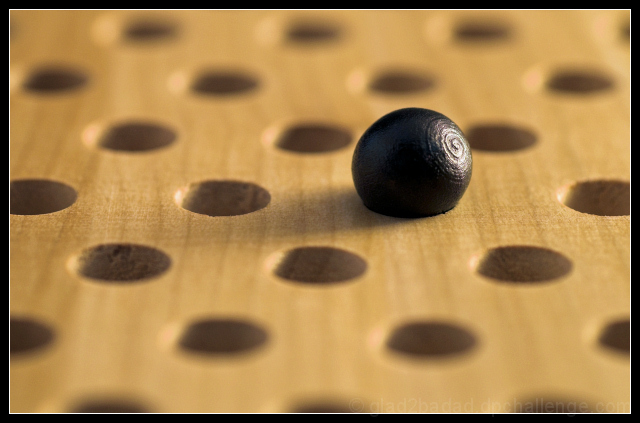
The "@" symbol was a surprise discovery and not originally intentional. I was messing around with a chinese checkers board and various game pieces. The wood balls were not all nice perfect circles. Some were a little oblong, some had flaws in the finish, etc... As I was looking these over I noticed a few had some circles on the end, from the production process I guess. Figured this would add a nice twist - circles on a sphere with circles on the bg.
See what happens. :D
Statistics
Place: 90 out of 283 Avg (all users): 5.7727 Avg (commenters): 7.0000 Avg (participants): 5.7342 Avg (non-participants): 5.8302 Views since voting: 1054 Views during voting: 186 Votes: 132 Comments: 1 Favorites: 1 (view)






 Add photograph to your favorites
 Add photographer to your favorites


 Photographer found comment helpful.