A real quick and easy white balance is as easy as:
Image, Adjustments, Match Color, click the Neutralize box and watch what happens. (Photoshop)
Minor Color Intensity and/or Luminance slider adjustments can be done on some pics, but this one was basically correct with the Neutralize box checked. It's that easy.
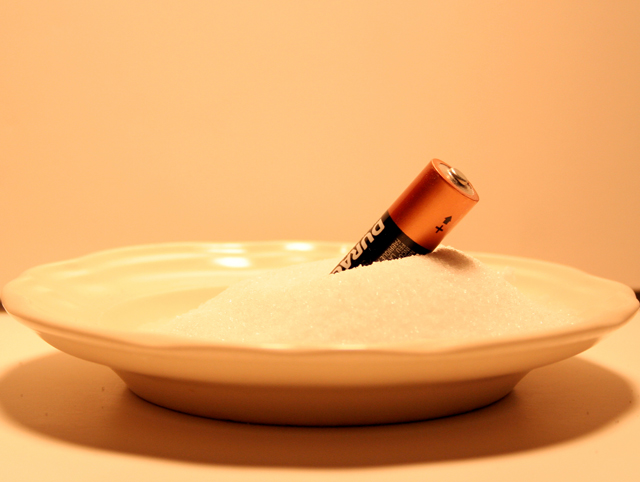
To all people who didn't get it, and are looking for some sort of explanation... It's a pun on "assault and battery." My original idea was throwing a battery at a box of salt, but those didn't turn out as well. And yes, I looking back on it, I should have changed the white balance... it was a lack of judgement on my part, as I thought the yellow brought the battery out more. Now that I look at it however, definitely not.
Clever title and take on the challenge theme. Couple of things that are holding this photo back on scoring. Color temp is way off - if you adjust your white balance this would look white instead of yellow. Line in the background where your backgrounds meet shouldn't be visible. Diffuse your lighting some to eliminate the harsh glare that you've gotten on the back side of the saucer. The positioning of your subject is good as is the focus. Best of luck to you in the challenge.
hahahaha very creative! Too bad the lighting is so "yellowish", perhaps if the label were showing more this would be better but im giving you a 7 cuz the title makes this picture!





 Add photograph to your favorites
 Add photographer to your favorites


 Photographer found comment helpful.


