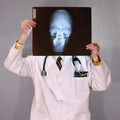
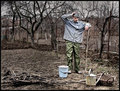
Another in-camera overlay, but the trick to getting my arm to cross over and have a white background took a couple weeks to let sit in my head before I figured out how to do it. First I took the shot on the right as it looks with my arm going over on the black. The second shot I pulled the dark sheet across the white curtain so everything was black and took the next shot with my white shirt on and camera. Since the shot with the white background was coverd with the dark sheet it popped through with out being blown out or faded at all and my arm going over was always in the dark sheet it also kept all its detail. In theory this could be done the same way with one shot, if you set your camera to bulb in complete darkeness and fired the flash for one shot, covered the camera so no light got in and moved the curtain over and then fired the flash again for the second shot.
Converted from raw, two levels layer to make each background either lighter or darker then masked out the other side. A gradient map to make the photo black and white and a channel mixer to set monochrome also. Then a hue/saturation layer to further brighten or darken specific colors. The next layer is a duplicate of the image set to 50% and then burned the left background blacker and dodged the right background whiter. And did some dodging on the screw gun to make it stick out. I also did some burning on my black shirt. Then I flattened the image and ran USM three times with these settings 150 .3 0 set to darken. then 150 .3 0 faded to 50% on lighten. Then USM 18 40 0(Luko USM technique, you should try it :)). Then did some minor cloning on my hair and face to even out hotspots. And then dodged my arms some more on the left to brighten them up. I think thats about it. Crop and Save for the Web.
I'll be on vacation South of Cancun (woohoo!) when this one ends and won't be back until the 6th or 7th so I will be curious to see how this one does. I really need to work on my lighting, Lol, I couldn't stand farther away because I only had about 7 feet to fit the backgrounds in and I started overlap onto different backgrounds if I stood farther away.
Thanks to peete and thegrandwazoo for some tips on the D200's overlay functions.
Statistics
Place: 6 out of 105 Avg (all users): 6.8033 Avg (commenters): 7.5862 Avg (participants): 6.5769 Avg (non-participants): 6.8646 Views since voting: 2992 Views during voting: 779 Votes: 244 Comments: 42 Favorites: 2 (view)
Congratulations on top ten. I like the clever idea but I especially like your facial expression in your day job side! Not your favorite of the two I assume!
Great idea and execution. I am looking forward to seeing how long your shutter speed was. I'm gonna guess 1 minute and at least a dozen tries. Had it just been a side by side it wouldnt have been as impressive but your arm reaching over really adds a great final touch. Hope this does well for you. Bumping up to 8.






 Add photograph to your favorites
 Add photographer to your favorites


 Photographer found comment helpful.


