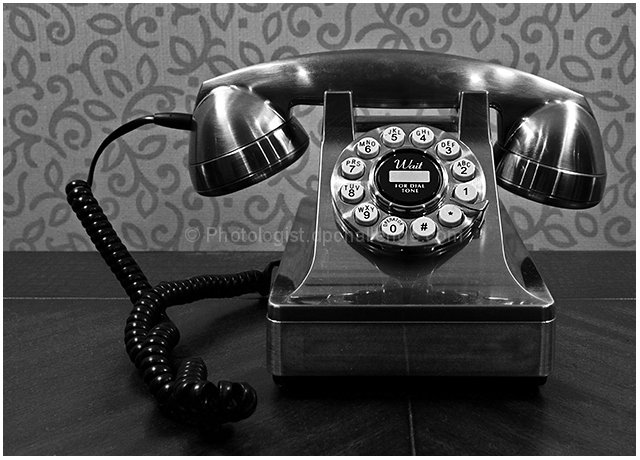
Telephone in a hotel hallway during a recent business trip.
Shot in RAW format (color).
Post-processing steps:
In RAW:
-------
o Adjusted color temperature
o Convert RAW to 16-bit TIFF
In Photoshop Elements:
---------------------
o Crop
o Adjusted levels (no layer)
o Convert to 8-bits/channel
o Create levels adjustment layer
o Create Hue/Saturation adjustment layer
- Desaturated
o Adjust the levels of each channel independently on the levels layer
o Dodged and burned the front base of the telephone to brighten it a bit
o Spot healing brush to remove some dust on the table and phone
o Save PSD
o Flatten image
o Select dark areas (table and base) and copy into new layer
o Lighten via combined RGB levels on this new layer
o Use burn tool on the left desk seam to tone it down a bit
o Save PSD
o Flatten image
o Resize image (compensating for upcoming border)
o Added border, which brought size up to legal maximum
o USM on just the dial area
o Save for web (size priority)
Statistics
Place: 89 out of 424 Avg (all users): 5.9643 Avg (commenters): 7.6000 Avg (participants): 5.8182 Avg (non-participants): 6.2414 Views since voting: 1345 Views during voting: 235 Votes: 168 Comments: 8 Favorites: 1 (view)






 Add photograph to your favorites
 Add photographer to your favorites

 Photographer found comment helpful.


