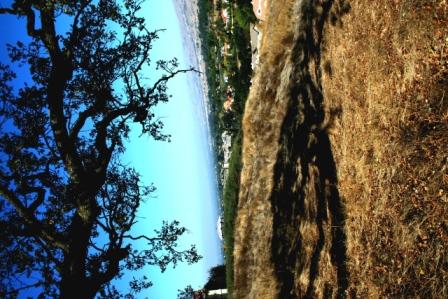
I know you are going to be told this a lot but why did you choose to display it this way, just makes it confusing and dificult to judge the quality of the shot.
Orientation!?! This does meet the challenge, but I am left wondering if you're as much of a Newbie as I have been this past year. It looks like you rotated the camera on-site, had issues with rotating the jpeg 90 degrees right in your computer. If I'm correct, then simply do a right click on the jpeg itself, and left-click on the word, Edit. Whatever default program that opens the jpeg should be able to rotate a quarter-turn to the right! (I hope that didn't appear "in-your-face" because you could have wanted it this way for some reason unknown to me, then it would be "in-my-face.") :}
Well, it is a portrait orientation if I turn my head, but that hurts my neck. Could also be a little bigger. It is an interesting composition, though. I like the branch coming across what should be the top of the frame.
One BIG problem with this, it should be PRESENTED in portrait orientation, not landscape orientation. Other than that, the focus looks a bit soft, the horizon a bit uneven, and the diference in the color of the sky between the area above and under the tree too extreem (makes it look unreal).






 Add photograph to your favorites
 Add photographer to your favorites


