cloned out a little bit on the middle of the butterfly.
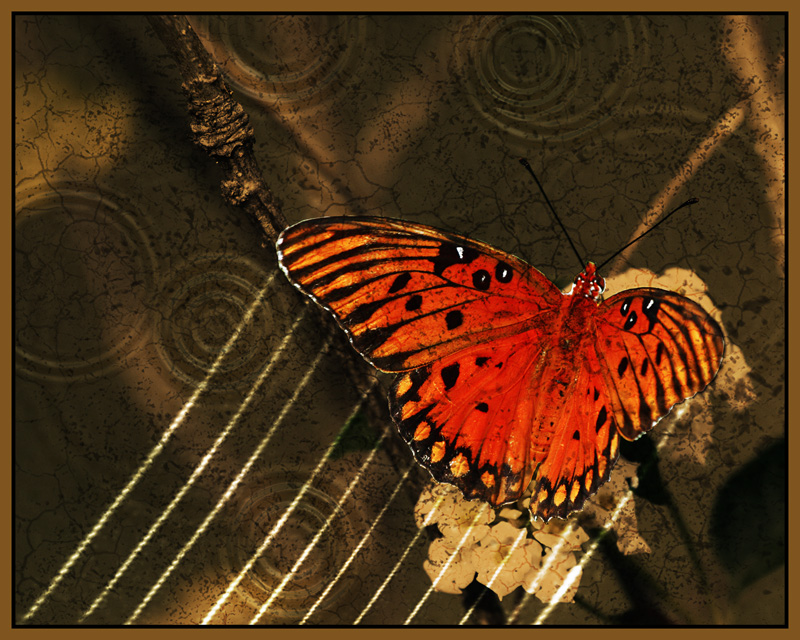
applied a gradient map using black to brown with a 86% opacity, masking off the butterfly.
made a layer puting some hard bristle brush marks in black with 51% opacity.
made a layer in soft light and painted the white lines.
copied the lines layer and changed to overlay mode.
added cracks using a cracks brush I have in black set to overlay mode then 66% opacity then masked of msot of it with about 40% opacity on the brush.
selective color layer to get the buterfly more orange.
flatened then copied the background layer and used a ripple filter then set to overlay mode a reduced opacity.
added border.
The processing is great, reminds me of -dax (Bea)'s pictures, but in a sort of much more "male" version (if that makes sense). I like it. Fighter butterfly it could be also.
Elvis, this is amazing! And gorgeous! I love that you included the steps but will have to admit I have no clue what you're talking about in some cases - I'll figure it out (like brushes, for instance - never have tried 'em.) Really lovely.
Sweet! I absolutely love it - the post process is excellent! I especially like the addition of the swirls - they really help pull the composition together. Thanks for sharing the steps!




 Add photograph to your favorites
 Add photographer to your favorites


 Photographer found comment helpful.


