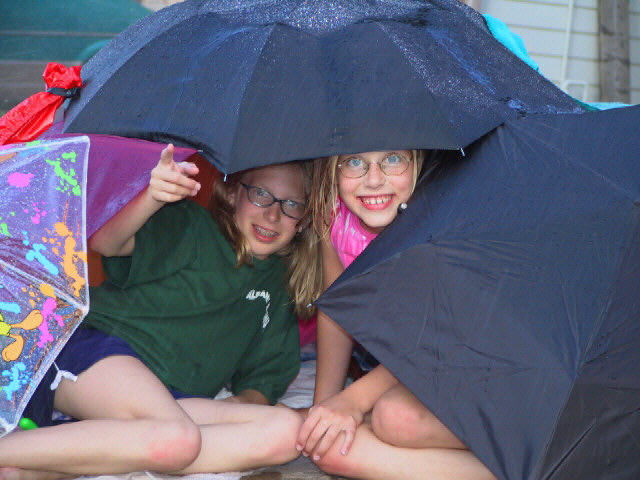
Compositionally, this works and it is a fun shot also. However, there seems to be a lot of jpeg artifacting around the girls' faces. I notice that your file size is very small, only 64K, but even so it should't be this obvious. The photo could also be much sharper. I imported the photo to PhotoPaint and added some unsharp mask to verify this and it did help quite a lot. Be sure to shoot using the highest resolution your camera suports. If you import to a photo editor, do not save as a jpeg file until all of your edits are complete. Jpeg looses detail from a photo each time you save, so much better to save as a tiff file, which is lossless, then when all edits, resize, and sharpening have been done (in that order), save as a jpeg. If this doesn't make sense, then I suggest asking on the Q&A forum.
did you crop this out of a larger photo or did you compress it a little too much? the girl's faces are somewhat pixelated which is a shame, it's a very cute shot otherwise. -- gr8photos (4)
I think the picture would seem more balanced, at least to me, if the colored umbrella was on top, and the black ones were on the left and right. they look like they are having fun. :-)
At first it looks out of focus... at second look I noticed that the size of the pic is less than half of what is allowed so the jpeg compression is seriously damaging the quality.
Nice shot and expressions... the image is a bit small in filesize, and is pixelated though. I think it would also have looked better if the girl in the green shirt wasn't pointing, since we dont know what she's pointing at.







 Add photograph to your favorites
 Add photographer to your favorites


