A lot of people wanted to know how I did this so here I go...
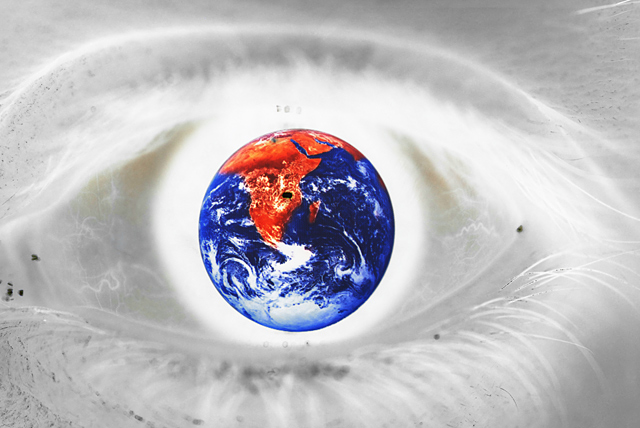
I found a photo of the Earth on NASA and in PS inverted the colors and placed it on a black BG.
I then put it on my comp screen.
I set my D200 to multiple exposure and took the first shot of the Earth and then moved over and took the second exposure of my girlfriend's eye. It took me about 10 tries to get them to align properly.
In PS, I simple invered the image which brought the Earth back to it's original colors.
The dark sport in Africa is the flash. :-)
I wish I could've spot edited the eye caca. :-)
Statistics
Place: 143 out of 438 Avg (all users): 5.4203 Avg (commenters): 7.4667 Avg (participants): 5.0560 Avg (non-participants): 5.9756 Views since voting: 1328 Views during voting: 344 Votes: 207 Comments: 23 Favorites: 2 (view)
This is really cool, the mix of negative and non-negative. The dark spot on Africa bothers me, as I don't remember a lake being there, but maybe I'm wrong. If this had been advanced editing, cloning out all the dark spots would have helped, but of course I won't hold that against you ;-) 7
you had better do a 'how did they do that explanation' for this! I am dumbfounded as to how this was done...although my guess is that you had a pane of glass where you placed a negative image of the earth, then you placed an eye/your eye behind that...how am I going??? also, you need to get that dust out of your eyes! this is fantastic...hope it does well for you







 Add photograph to your favorites
 Add photographer to your favorites


 Photographer found comment helpful.


