I am just starting to experiment with layers as I process some of my photography. This is a “Basic editing” challenge and I used a duplicate layer, which has pixels. The layer was a duplicate of the unedited original so I thought it would be legal. The rule is quite clear once you understand the different types of layers and which layers contain pixel data.
I wont be doing that again.
Rule: Layers: Only Adjustment Layers (or the non-Photoshop equivalent) may be used. An Adjustment Layer is one that does not contain any pixel data, but rather is a special, non-image layer that lets you experiment with color and tonal adjustments to an image without permanently modifying the pixels. Adjustment Layers must be applied in Normal mode. All other types of layers (including those that contain pixel data or masks) and all other blending methods (modes) are prohibited. Changing the opacity of an Adjustment Layer is permitted.
Disqualification Details
The use of layers with new pixel information is not allowed in Basic Editing.
Statistics
Views since voting: 1941 Views during voting: 379 Comments: 17 Favorites: 2 (view)
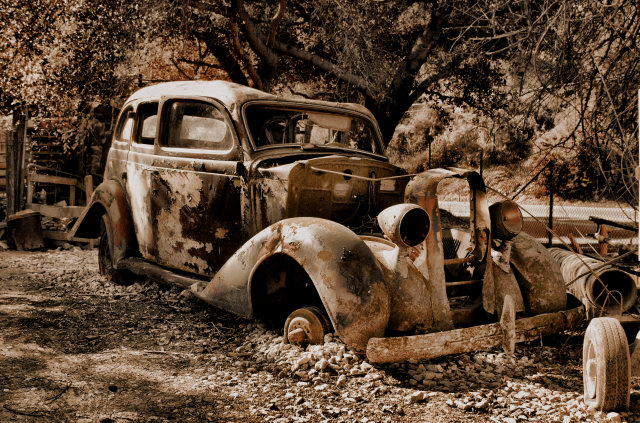
would have liked to seen a little bit of color remaining on the car, it would bring it out more against the busy background. good find though. and i'm glad it's centered b/c any other way i would have been distracted from it because everything is the same color.
You have found a great subject here but I feel you haven't made the most of the opportunity. I find the background very distracting and the centered composition a little plain. However you have captured a lot of great detail and the sepia also works well.
The colouring is somewhere between warm and sepia and this doesn't realy add to the overall effect of 'oldness'. The angle leads the eye through the image starting of with a nice 'rule of 1/3rds' division. The overall balance (everything in the image) speaks of age though. Sexy subject :-D.





 Add photograph to your favorites
 Add photographer to your favorites

 Photographer found comment helpful.


