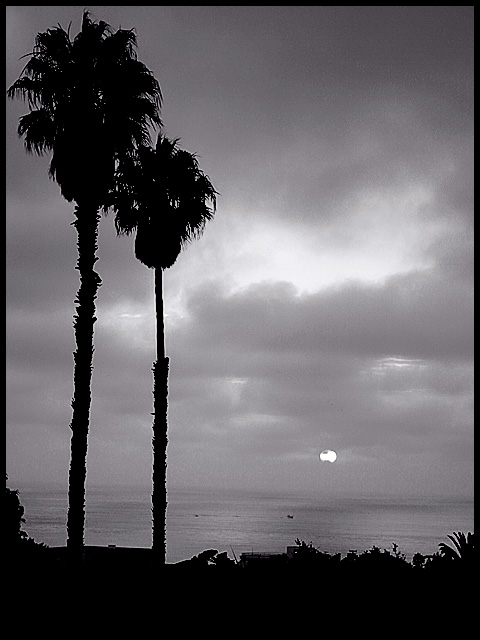
The horizon is not level. If you want to maintain the vertical orientation of the palms and level the horizon, do this: drag down a guideline to the horizon so you an see true level. Then "select all" and choose edit/transform/skew and actually skew the image up on the right side until the horizon levels out. Crop as needed.
This iamge, too, is seriously oversharpened; you can see distinct haloes around the dark/light intersections. You need to fine-tune your shartpening process. One thing that helps is to blow the image up so a light/dark intersection is prominent at significant magnification; then you wille asily be able to see when the haloing starts. It also helps to create a new layer from BG, name it "sharpen", and do your sharpening on that layer; youc an then fade the layer as needed to get the perfect amount of sharpening, if you oversharpen a tad to allow fading. It's what I do.
R. |




 Add photograph to your favorites
 Add photographer to your favorites

 Photographer found comment helpful.