Challenge:Apple (Basic Editing III) Camera:Minolta DiMAGE Xt Location: my study, Victoria BC Date: May 13, 2005 Aperture: camera default ISO: camera default Shutter: camera default Galleries:Snapshot, Action Date Uploaded: May 13, 2005
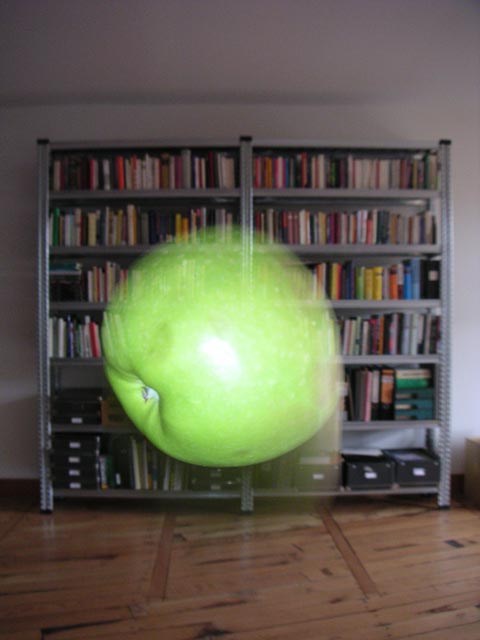
Using a Minolta Dimage Xt, I don´t really have many options -- every picture is simply a snapshot. Except zooming (in the modest range the camera offers) there is only the flashlight. I usually like turning the flash off, but in this case, the falling apple was still a bit blurred, when being flashed. I dropped the apple about 30 times, until I had a few pictures, where the apple at least was *in*. The picture is not modified by any software at all, except adjusting the default image size of the camera to the maximum size allowed in the challenge.
Statistics
Place: 337 out of 386 Avg (all users): 4.3742 Avg (commenters): 4.8182 Avg (participants): 4.3046 Avg (non-participants): 4.4403 Views since voting: 1229 Views during voting: 417 Votes: 310 Comments: 13 Favorites: 0
thanks for the comments, everyone -- just trying to answer any questions left open here. I am aware, it really looks like the apple is moving up, but it was actually falling down. I tried a few snapshots with a plain white background, but that literally only left a green blur.
Good idea, but the bookselves in the background are distracting. Would love to see it in front of a plain dark background to better get the sense of motion.






 Add photograph to your favorites
 Add photographer to your favorites


 Photographer found comment helpful.


