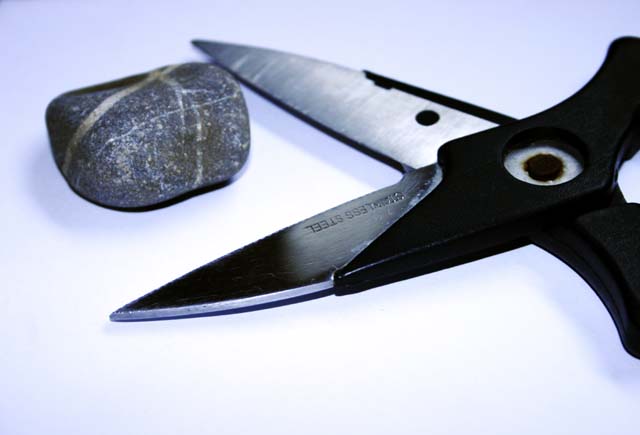
I was going to do just a rock, but it wasn't interesting enough...so tryed to make something from the 2 items...hence my bird..lol.
I auto level and contrast, curves, colour balanced yelow-blue to -47 and resized to 640 pixels.
Statistics
Place: 167 out of 250 Avg (all users): 4.7951 Avg (commenters): 5.5000 Avg (participants): 4.6944 Avg (non-participants): 4.8750 Views since voting: 774 Views during voting: 317 Votes: 244 Comments: 11 Favorites: 0
try useing a macro lens your rock is out of focus if you dont have a macro simply use selective focus or manual focus on the lens ring and make sure to check your camera manual or lens manual or look up the specs on your lens via web for the closest focusing distance "
min focus"
First of all your caption may be funny but judges and clients alike wont even pay attention to them if your basic elements are missing. before posting anything ask yourself does this realy have a chance at winning then ask your self how it could be better color composition WHITEBALANCE!!! possibly then fix it take another 20-200 shots and when your happy with it go for it submit
Whitebalance is a simple thing to fix every editing program short of mspaint allows you to adjust global color correction -cyan +red - blue + yellow then correct the image to make sure magenta and green are balanced.. i find that in most images your better off with a little more magenta than green as long as their is no foliage involved.
in photoshop use the 81a filter then adjust the colors again in color balance and make sure your black values are true with the levels tool






 Add photograph to your favorites
 Add photographer to your favorites


 Photographer found comment helpful.


