I have seen a tutorial on this... but in a challenge it would not be legal.. But i have been looking and have descovered how you did it... it is pretty easy i guess... might have some trouble with lighting and all that but after all a easy setup...
Now about the picture i really think it is well executed... Very nicely done the lighting is really nice and the ideia great... i would to think that with a rock it would be much better but 27th is just great... Keep on the great work.
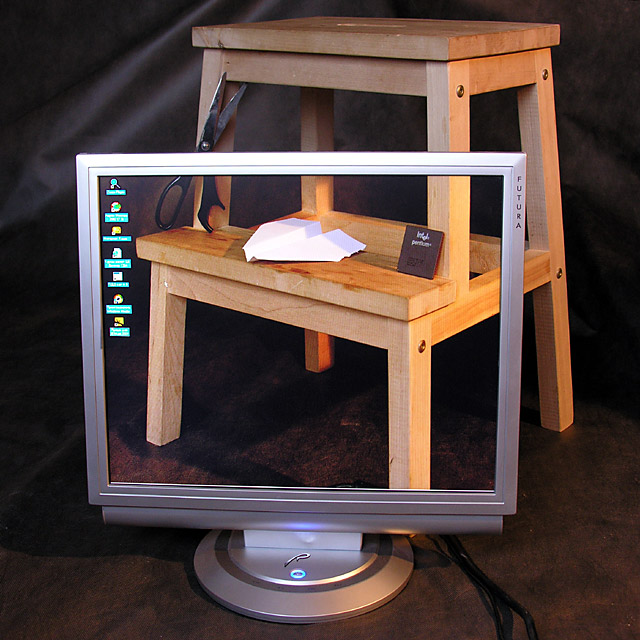
ok the image didn't have to contain all three elements so you're ok there BUT what is with the monitor? I admit it is an impressive monitor and seems to be perfectly arranged with the background (although the back image could use a little bit more light) but what has the computer chip have to do with it (is it the granite thing?) You've used some creativity but I think you over did it and shot yourself in the foot. Sorry
I saw a discussion about this technique in a recent forum thread. This one came out neat, but I'm a bit disappointed about how you 'abused'paper and scissors to make it fit the challenge. Um, is the Pentium-thing supposed to be the rock? Why's that?
Two other things that bother me and that you can easily fix after the challenge in photoshop are the slight colour difference between the lower left corner and the background, and also the cables.
Anyway, an interesting picture. 9.
Aha! Terribly clever!
I think this could be better if you chose a lower angle, that way you wouldn't be so much of a tilt on the monitor.
Awesome shot though
was that hard to arrange? fascinating tecnique, but not very exciting image... how can I say? more pleasant for the brain than for the eye, anyway a good picture





 Add photograph to your favorites
 Add photographer to your favorites


 Photographer found comment helpful.


