OK, the picture was a bit small.... I guess I'll have to read that tutorial on how to resize it properly. Getting the side to a max of 640 was killing me. A bit frustrating but I will learn.
this could have been a very good image, but i don't know why you have sized this so small ? sizing takes away everything from the image.. use the 640 pixels you are allowed to
hmm it would have been ok if it was a litle bit larger!
Difficult to vote for it properly so small when it is not possible to see it properly. But I think the original wasn't bad at all.
Looks like a nice shot. Good Composition, nice colors, too small to tell a whole lot more. would have rated fairly high if larger from my perspective. 6
Nice photo ! But it's a pity to see it so small !
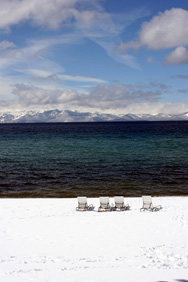
It's dufficult to appreciate it well , anyway the composition is interesting and the blue tones are really beautiful !
I bet this would be a great image if I could see it. I don't know why you submit such a small pic but I would love to see the entire one when challenge ends.
Beautiful picture! The small size wil hurt a lot and that's a shame. I'm sure you could obtain at least 2 points in the final result if only you would have use the maximum legal size (640 pixels long). Do us a favor, after the challenge, repost it your your portfolio at maximum size. Good luck!
Image is very small. Its important to take the right steps when resizing your photo. If you need help, you can PM me and I'll explain. Also, the bottom half of this image looks way too bright, and peaky. I do like the placement of the mountains and clouds, but its hard to see any real detail due to the size of the image.
This is a beautiful picture!!!! Only because after so many challenges, I know this dpChallenge bunch, and I'm sure you are hearing about the size, but it really is a beautiful picture, and I'm rating it really high! Good luck!!!
this image looks like it has a lot of potential, but is too small to fairly evaluate (and i'm sure you'll get a ton of comments to that effect). don't take it personally. i don't know if you use photoshop or not, but if you do, here's a tutorial that will help you out. if you aren't using photoshop, simply ask on the forums 'how to size images' and you'll get the info you need. good luck in the future!





 Add photograph to your favorites
 Add photographer to your favorites


