As soon as I saw the challenge I knew this is what I wanted to do.
Setup:
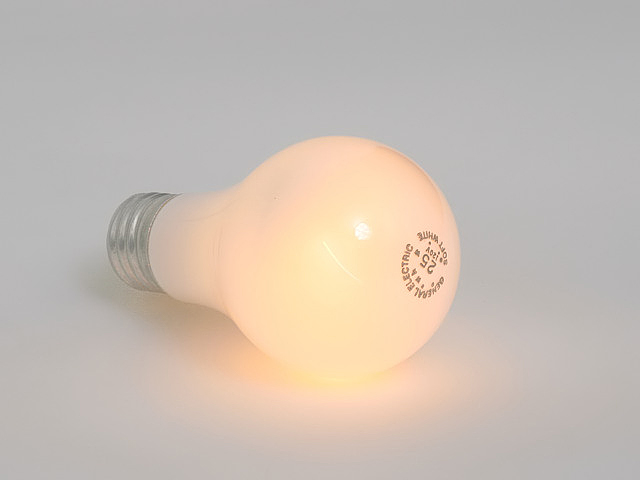
I cut up an old extention cord and stripped the wires. I attached the wires to the bottom and backside of the bulb and plugged it in, hoping I wouldn't burn the studio down. First try didn't work so I switched the wires. It worked! I ran the wires under the background and punched a small hole in it to run the wires through. I positioned the bulb to hide everything behind it.
The PP: Photoshop
Using levels and curves didn't give me the look I was after so I left them out. What I did instead was used the Hue/Saturation tool. These are all aprox:
Master Lightness +42
Reds Saturation +32
Yellow Saturation +64
Contrast +20
Cropped
USM
Saved for web
I wish the background was whiter but I couldn't get it with the lighting I had without blowing out the bulb too much. I hope it will do well.
Statistics
Place: 138 out of 431 Avg (all users): 5.3887 Avg (commenters): 6.3333 Avg (participants): 5.1570 Avg (non-participants): 5.6066 Views since voting: 968 Views during voting: 519 Votes: 355 Comments: 22 Favorites: 0
Alright, I'm hooked - I'm curious how you got the bulb to glow... running bare wires to the contacts? I think a boost of ambient light to the scene (or a levels/curves adjustment) could really help this shot to pop. As it is, the grayish background and relatively low contrast dulls it out a bit too much for my tastes.






 Add photograph to your favorites
 Add photographer to your favorites


 Photographer found comment helpful.


