Thanks to all who enjoyed this, whether as voters, commenters, or both :)
I used the color replacement brush in Photoshop Elements 2022 - easy enough for the bulk of the image, but a little tricky around the top and in the darkest parts of the stairs and rim. I did the initial replacement on a duplicate layer, added a layer mask, zoomed way in, and then cleaned up any "mess" in the sky. Then I merged that and zoomed way in again (probably 200%, at least 100%) so I could look for places where the color change hadn't taken or hadn't taken well and re-did it in those areas.
Statistics
Place: 2 out of 36 Avg (all users): 6.6875 Avg (participants): 6.8333 Avg (non-participants): 6.5000 Views since voting: 590 Views during voting: 55 Votes: 32 Comments: 10 Favorites: 0
Congrats and well done on the "colour change". Which method did you use? I find my colours often go "muddy" when I change them, so I am keen to learn :-).
I'll update description to address that, Gaby kasaba
Congrats and well done on the "colour change". Which method did you use? I find my colours often go "muddy" when I change them, so I am keen to learn :-).






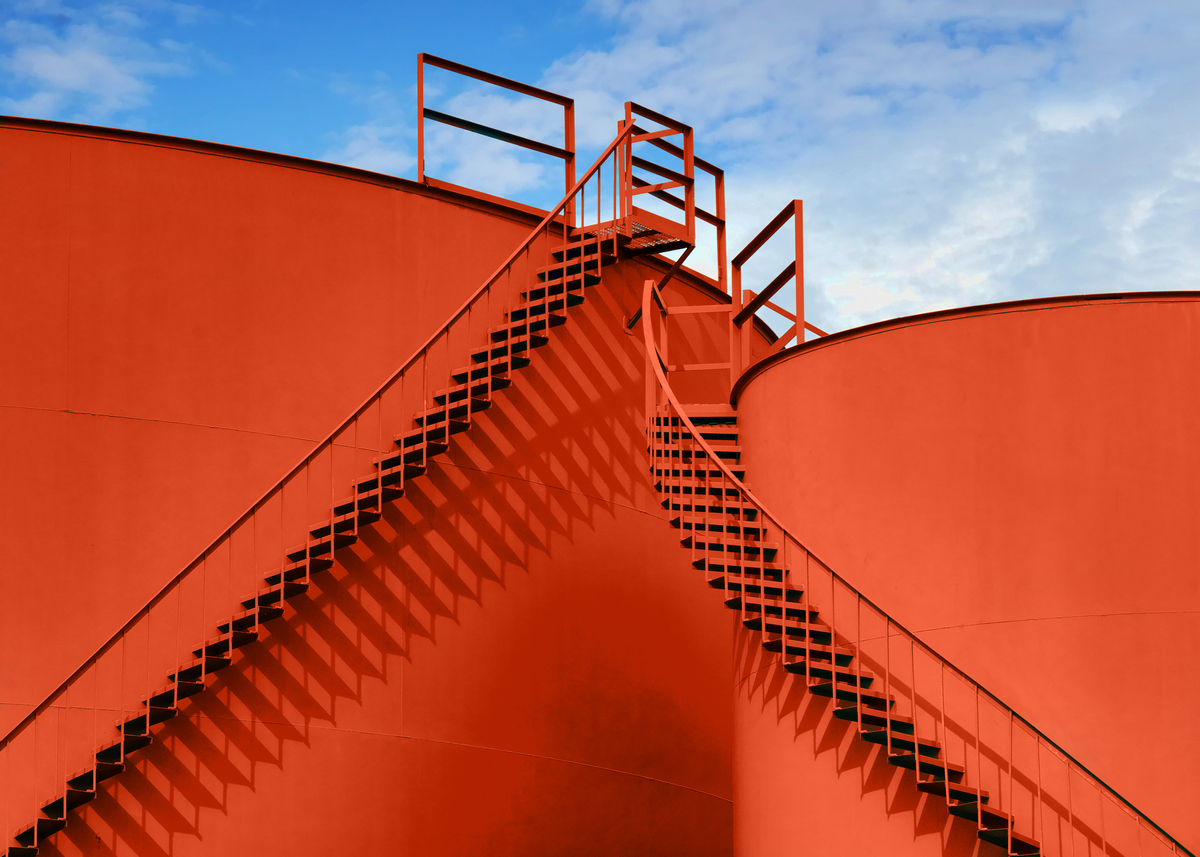
 Meet Ya at the Top
 Add photograph to your favorites
 Add photographer to your favorites


 Photographer found comment helpful.


