PRE PHOTOGRAPH
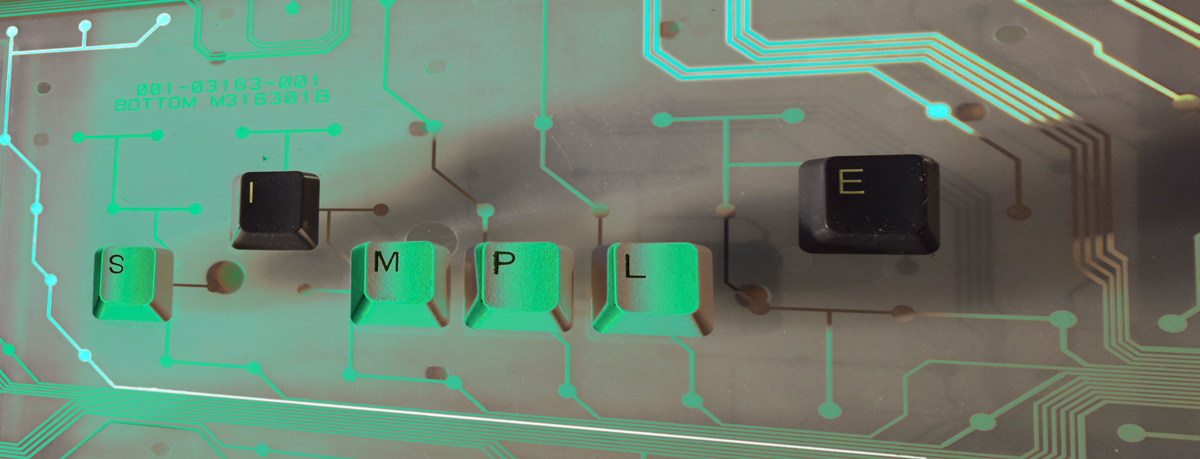
* Layered the following physical object bottom to top: metal keyboard tray from inside keyboard; piece of glass held up by a CD jewel case on either side; plastic keyboard circuitry; black and white HP keyboard keys removed from dead keyboards
* Took picture
POST PROCESS
* Applied slight free rotate to adjust horizon line
* Copied background to new layer and play with hue/saturation to bring lower layer copy to a pinkish color
* Apply difference to top layer to get it to green
* Merged visible layers
* Applied a perspective transform to create a horizontal keystone effect
* cropped to rectangle
* Used wand to isolate left brighter circuit line and applied levels to it
* Used wand to isolate right brighter circuit lines and applied levels to them
Statistics
Place: 77 out of 100 Avg (all users): 5.1556 Avg (commenters): 5.0000 Avg (participants): 4.9286 Avg (non-participants): 5.3542 Views since voting: 349 Views during voting: 145 Votes: 90 Comments: 1 Favorites: 0





 Add photograph to your favorites
 Add photographer to your favorites


 Photographer found comment helpful.