Corel Aftershot Pro2
- Raw adjust exposure up, protect highlights, darken blacks
- Save as TIFF
PSP X7
- crop, resize
Lightroom 4
- edit with CEP4
- Lens Vignette
- save as TIFF
Lightroom 4
- edit 2nd copy with CEP4
- Glamour Glow
- Lens Vignette
- save as TIFF
PSP X7
- pull Glamour Glow copy over 1st copy
- set opacity to 60%
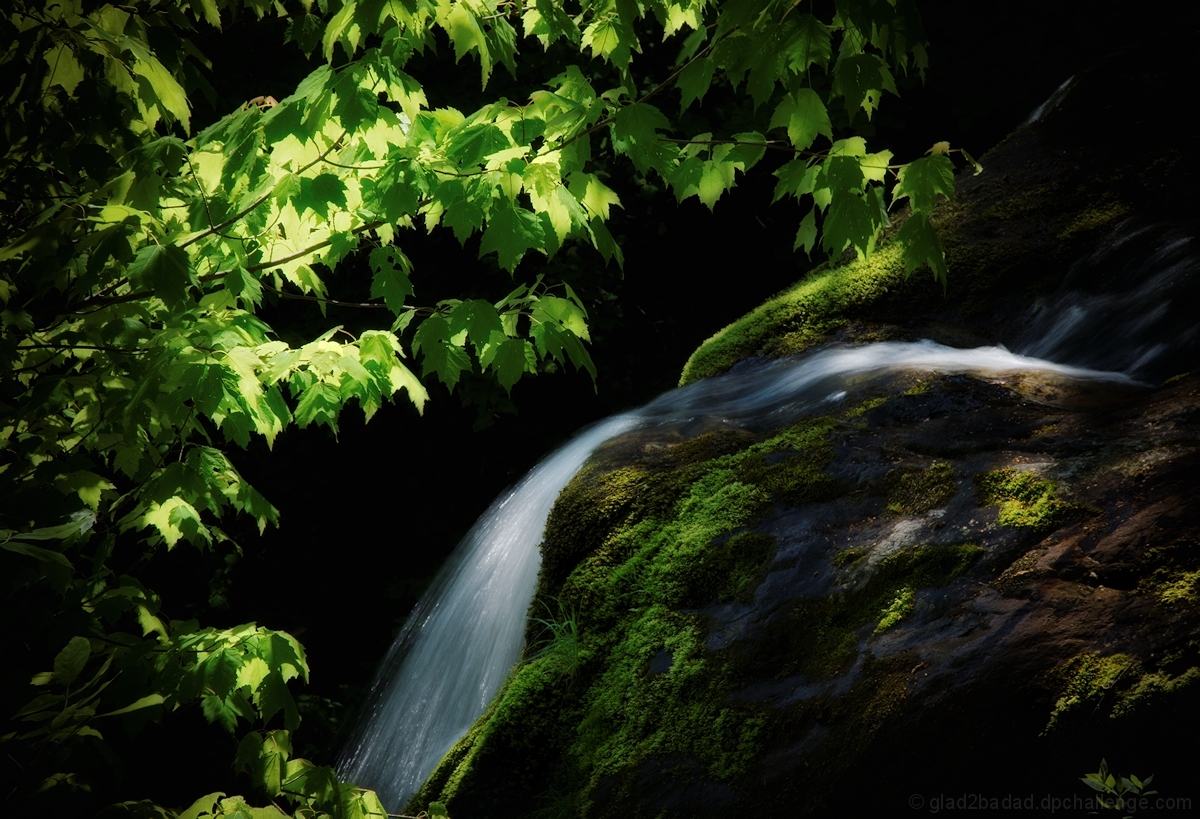
- erase thru to reveal details in moss, rock, and water
- merge all
- dup layer
- clone out small plant in center distance
- darken water highlight on rocks, and select leaves that were nearly blown out
- sharpen
- save as JPG for Challenge entry
Statistics
Place: 13 out of 83 Avg (all users): 6.2174 Avg (commenters): 7.5000 Avg (participants): 5.9730 Avg (non-participants): 6.5000 Views since voting: 748 Views during voting: 125 Votes: 69 Comments: 5 Favorites: 0







 Add photograph to your favorites
 Add photographer to your favorites


 Photographer found comment helpful.


