Ok, I'm in the minority I'm sure. This challenge was ok, but not really all that fun. In fact, I thought it was pretty drab making the same sort of edits over and over to get an entry worth submitting.
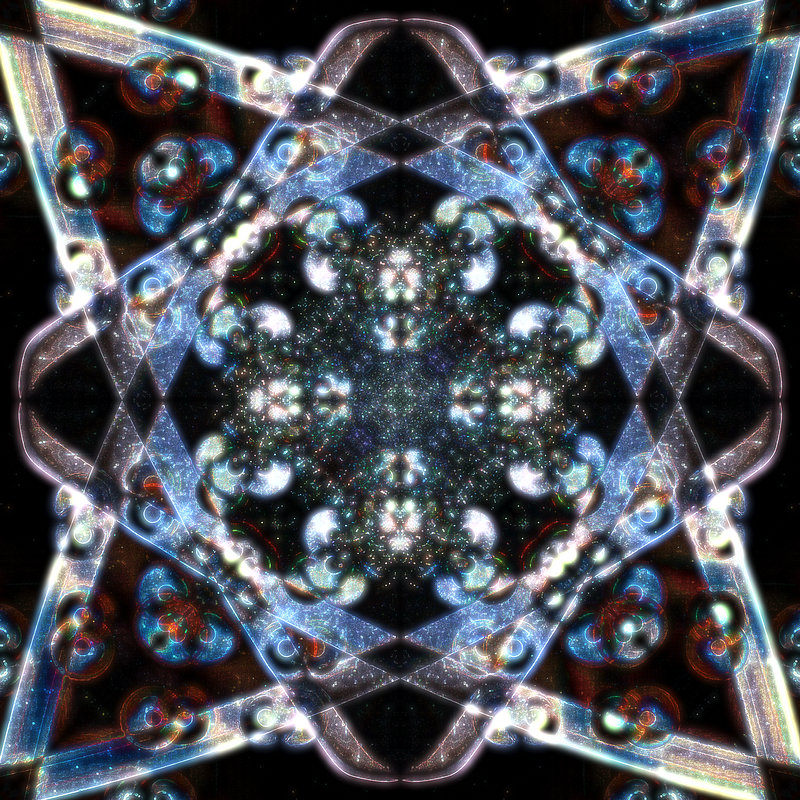
In this case, I took a photo of an iron (for clothes), square cropped it, flipped vertical (blend difference), duplicated and rotated (blend difference), and then the magic. I was using various distortion effects, and settled on the City Lights. This effect gave the image a sort of galaxy type feel that I hope is different than others.
Steps 1. Duplicate layer
2. Flip Vertical
3. Set blend mode to difference
4. Merge Layers
5. Duplicate layer
6. Rotate 90 degrees
7. Set blend mode to difference
8. Merge Layers
9. Duplicate layer
10. Rotate 180 degrees
11. Set blend mode to difference
12. Merge Layers
13. City Lights filter
14. Re-size
15. Sharpen
16. Levels to brighten
An important note: the source image is not perfectly centered. Perfectly centering was giving boring results. Slight off center is what gives the wide line effect.
Statistics
Place: 44 out of 85 Avg (all users): 5.8375 Avg (commenters): 7.5000 Avg (participants): 5.9400 Avg (non-participants): 5.6667 Views since voting: 452 Views during voting: 156 Votes: 80 Comments: 2 Favorites: 0






 Add photograph to your favorites
 Add photographer to your favorites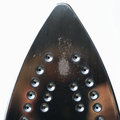


 Photographer found comment helpful.
