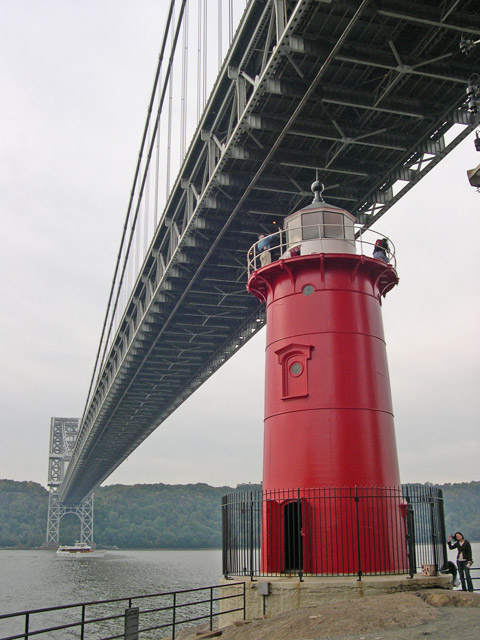
It looks a bit flat (because of the overcast sky.
Could have done with some (more) usm to make it nice and crisp.
Another thing that you could have done is this (little trick)
Open up the photo in Photoshop press: ctrl alt ~ (three keys at one time)
It will select the lightness, then goto image->adjustments->Brightness/contrast and "up" the contrast around 40% then goto select -> Deselect and look at you picture again.
It gives the picture some more color without making everything oversaturated and making it a bit more believable...
Shame there's a person brushing thier hair in the corner - if she's a model then she needs to be doing something interesting, if she is not then you should have waited or asked her to move out of frame.






 Add photograph to your favorites
 Add photographer to your favorites


