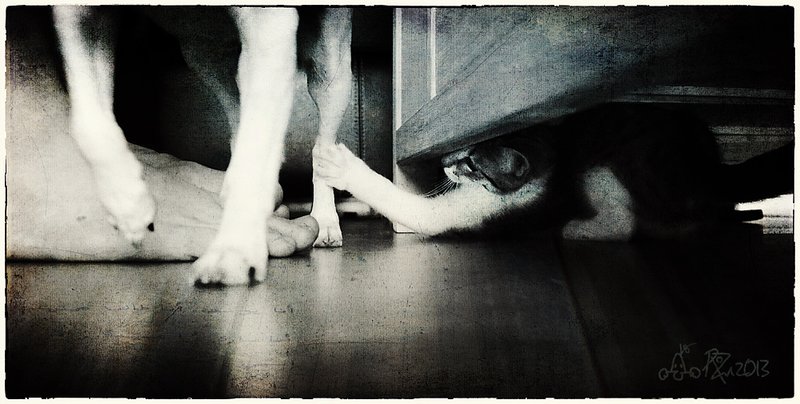
vivian LoVi asked how i edited this so i've put the steps in for anyone who's interested ...
i cropped the pic a whole heap ..
it was quite dark in the room (photographically speaking) which is why the 6400iso ..
i did a preset i created in silver efex pro to turn it black and white with a vignette with no added grain ..
the layers on top of the black and white silver efex layer layer where ..
this pic i took of a fence changing the perspective to make it look 'real' .. soft light at 41% painting it out everwhere but the floor ..
and this one i got online from the Kim Klassen a Fav Collection .. overlay at 100% .. i attached a levels adjustment layer to the texture to adjust the overly white areas .. that way it doesnt affect all the layers beneath it ... just the one its attached to .. there'd be a photoshop term but i cant think of it at the moment ...
you do it by creating an adjustment layer above the layer you want to adjust and then holding the alt key (i dont have a mac) and position the curser between the two layers .. you will then get a little icon (2 little circles one black and one grey and a tiny arrow) .. click between the layers and the adjustment layer will then be joined to the layer underneath .. anything you then do to the adjustment layer will only affect the layer its joined to ..
then used curves, color balance, hue/saturation and levels above the other layers to boost the colours and the contrast .
Ohmygosh! I can't even say how much I love this photo! The scene itself is delightful... heartwarming. But what you did with it to enhance the mood and emotion! Brilliant! Should be on a wall in an art gallery! I'd buy it! :)
Hi Roz! Are we going to be able to actually find out HOW you did this? Love the subject....this was happening around my bed at 1 am! Cat visitor last night!
I didn't even see the human foot until I read the comments, my brain assumed it was light and shadow over there. I think I liked it better when I saw it that way, but nonetheless great capture!
This is really cool Roz, as you have the person, the dog, and the pesky little cat. I love how they all go together so well along with the marvelous gritty texture. I love grain.
Perfect timing! I love the grainy look - I never use grain well - when you do it improves the photo,making it look like it's film. When I do it looks like I am just trying to make it look old. Precious Katee, taking the teasing so well.
As daisydavid put it so well, a great perspective indeed.






 Add photograph to your favorites
 Add photographer to your favorites


 Photographer found comment helpful.


