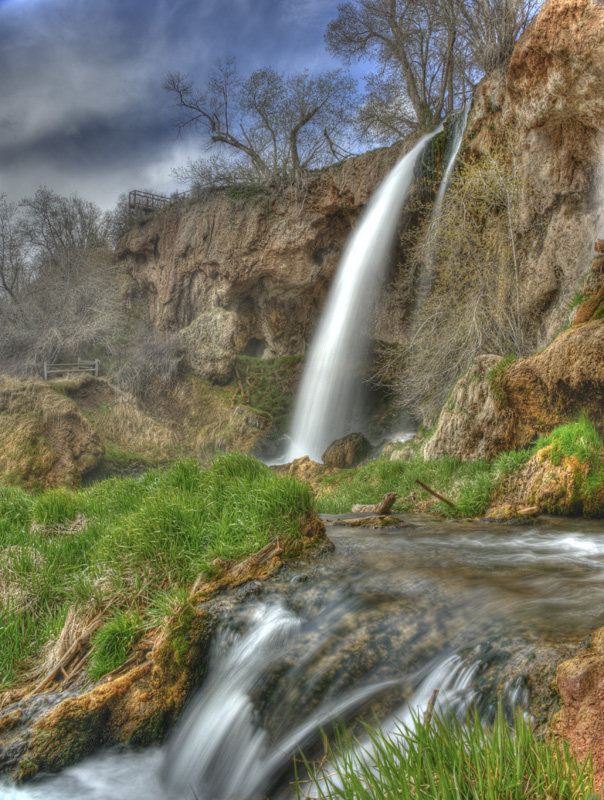
I think it's more overly processed HDR than soft focus. When clouds start to turn flat gray or black, white water turns gray, and you get a misty overlay to the image in what used to be darker areas - you probably need to ease off the HDR throttle a bit. This also could be due to the fact your monitor may not be calibrated accordingly. I have a glossy screen mac and i have to be very careful with HDR processing and check them on my desktop pc monitor, and whatever else I can grab before I submit (until i get a calibrator). I noticed what looked GREAT on my MBP looked gray, off contrast, faded, soft, etc... on a regular ole nothing special pc monitor.
Something seems a little "off" with the way the landscape across the middle looks, in relation to the rocky wall behind it. I'm not sure how that happened, unless it was the use of a ND Grad filter or a gradient in processing. The grass also looks a bit over-saturated on my monitor.
I can't quite put my finger on what's going on across the middle, but it seems strongest at the bottom of the upper waterfall, where the rock is in front of the water. Something about the edge there looks almost like that part of the scene was cut out and pasted over the fall.
The "soft" look is ok with me for the scene. I tend to like that for some scenes, but it generally does not do well with the DPC voters.
I think this photo is a little too soft focus, It has an element of flatness to it, a stunning photo no doubt, i'm just nitpicking to try to see what may have caused the score. I think maybe another sharpen mask done on this photo, while avoiding the smoothness of the water may have given it a little more crispness that the photo might need. I would have also brought the mid tones down a touch when playing with the levels to brighten the image slightly but retain that overcast atmosphere.







 Add photograph to your favorites
 Add photographer to your favorites

 Photographer found comment helpful.


