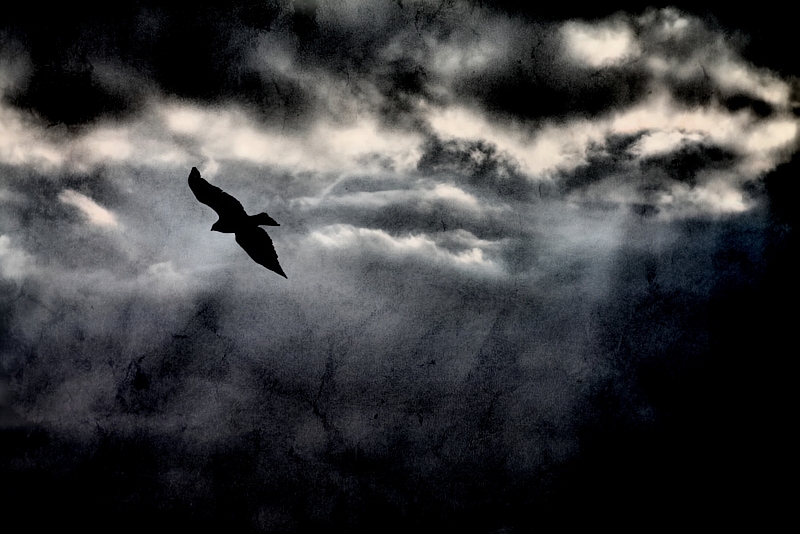
Took a photo of the sky with the light coming through the clouds & also took some bord in flight photos, one of which was a nice silhouette which i decided would look good against the sky i mentioned.
Editing (paintshop pro X4): First I used topaz denoise 4 on the sky to smooth it out a bit more before using local tone mapping on it to make it look more stormy. I then created a new layer and set the properties opacity in the 30-40s range and blending mode to DARKEN. I loaded my bird photo, adjusted brightness and contrast using levels so the bird was black and the sky was very bright.. i then cropped and pasted the crop into the layer i created, as it was set to darken, only the bird shows. I then created another layer and pasted in the texture i found through a stock account on devinat art. a texture i had used a few times before. I set this layers properties to BURN blending and lowered oppacity, I also desaturated the textures colour completely as it was a bright burnt orange and i needed it with no colour, just wanted the texture lines and cracks.. merged all down, resized, sharpened a little and saved.
Statistics
Place: 27 out of 120 Avg (all users): 6.0744 Avg (commenters): 7.0000 Avg (participants): 6.0656 Avg (non-participants): 6.0833 Views since voting: 535 Views during voting: 233 Votes: 121 Comments: 9 Favorites: 0






 Add photograph to your favorites
 Add photographer to your favorites


 Photographer found comment helpful.


