Challenge:Four (Classic Editing) Camera:Canon PowerShot G2 Location: Grand Falls, NB Home office desk Date: Dec 22, 2002 Aperture: F8.0 ISO: 100 Shutter: 1/60 Galleries:Abstract Date Uploaded: Dec 22, 2002
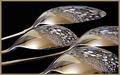
Printed rows of 4s (red) on a white sheet using Microsoft Excel. Made a cone with the sheet. Used the flash and camera manually held. Lightened in PSP, Colorized blue, then converted to negative image. Pretty neat effect, though I'm usually not too crazy about over worked images in Photoshop. Feels like cheating a little bit. Ah well, I used the entire image; no cropping.
Statistics
Place: 4 out of 151 Avg (all users): 6.6667 Avg (commenters): 8.1875 Avg (participants): 6.6279 Avg (non-participants): 6.6990 Views since voting: 3632 Votes: 189 Comments: 21 Favorites: 3 (view)
Dang! No purty ribbon. Hee hee. I'll take a fourth place (my second) any day. I think they should hand out fourth place ribbons. Actually, up to seventh place ribbons (had two of those) would be nice. Maybe they should hand out ribbons for pictures that never had a chance in hell, like my submission for this week. OK, Jacko needs coffee and go back to work.
Imediately I say 10 and we have a winner! I have only looked at 60 shots!Excellent photo! I'm looking again and just noticed the 4's on the left are not "funnelling" in? Was that intentional?
Now this is strange. I know you are going to tell us how you did this. This will sure catch your eye. I don't particularly like it as photos go but it sure is different. PTL 7
I've done this technique for other challenge before. The impact you did is very well, esp, the centre hi-light. Only comment is on the left, the 4 spirals aren't continued from the centre. That objects eyes drawing to the centre. Hope it makes sense for you






 Add photograph to your favorites
 Add photographer to your favorites

 Photographer found comment helpful.


