thanks. looks like he is a heavy user of it. any more subtle samples?
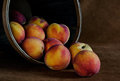
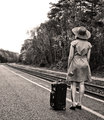
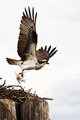
I tend to use a modest amount of Adjust in combination with the Clarify adjsutment in PaintShop Pro. Both are a form of tonemapping, but still a little different and I find together they give me an effect I prefer over just a strong application of one adjustment. Just a modest amount gives some nice dimension to a photo, but does not scream that it was used. Most of my entries use a small amount of it. Sometimes more.
I also sometimes use Topaz detail, but I find it's strongest feature for me is the adjustment it provides for balancing opposite colors. Certainly not the only tool to do that, but I like the way this plugin does it.
thanks. looks like he is a heavy user of it. any more subtle samples?
I tend to use a modest amount of Adjust in combination with the Clarify adjsutment in PaintShop Pro. Both are a form of tonemapping, but still a little different and I find together they give me an effect I prefer over just a strong application of one adjustment. Just a modest amount gives some nice dimension to a photo, but does not scream that it was used. Most of my entries use a small amount of it. Sometimes more.
I also sometimes use Topaz detail, but I find it's strongest feature for me is the adjustment it provides for balancing opposite colors. Certainly not the only tool to do that, but I like the way this plugin does it.
THANKS!!!
Will check out Topaz Adjust. They sent me a coupon for one of their programs but I don't think it was for Adjust.
thanks. looks like he is a heavy user of it. any more subtle samples?
Take a more in-depth look. Bear in mind that the entries that are the "heavy" application of would be grain, texture, and grunge type of images, which is a genre/style I like. Depending on what you're looking for, I've used it on most challenge entries since June '09, and it seems to resonate well with the voters.
If that's what you want, then maybe you could download their 30 day free trial.
I like it a lot because it is quite useful to accentuate grain & textures, which when you consider that I'm into old, abandoned & dilapidated things, is exactly what I want.
It's also nice for shifting exposure around, and it leans toward cooler coor values. It also enhances dark, moody skies as well.
Don't make the newbie mistake of dismissing something you're unfamiliar with until you try it and become adept with it. It prolly took me a good three months to become even slightly comfortable with it. Look at the progression since June of last year and I think you'll notice a progression.
I would start with Adjust, the new version has a lot of cool options. They also just updated a couple other ones but I haven't tried them yet. I bought the entire suite last winter and so far all the upgrades have been free.
I'll take a different tack from most of the previous responders; I'd recommend starting out with Topaz Detail. It's a much more subtle program, still capable of some exaggerated results but much more proficient at fine-tuning. It does a couple things Adjust can't do:
1. It allows you to separately control both "amount" and "boost" of detail at 3 different levels (large, medium, and small)
2. It lets you use sliders to control the relative luminance of yellow-blue, cyan-red, and green-magenta tones. This is incredibly useful for fine-tuning color work and, perhaps even more importantly, for creating B/W conversions, which the program does VERY well.
Since I got Detail, I almost never touch Adjust. I strongly recommend it. However, part of my preference for Detail over Adjust may be due to my switch from 20D to 5D, APS-C to FF; the 5D and Adjust don't seem to get along real well together, there's just so much detail in the images that Adjust's relatively primitive, undiscriminating boost seems to make a hash of it. I notice that you use 5D as well, so this may be the best one for you.
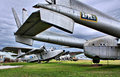
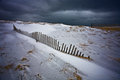
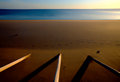
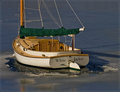
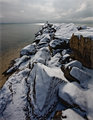
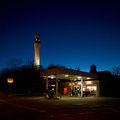
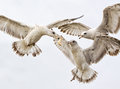
If you look in my profile, nearly all of my recent entries (last few months) were processed with one degree or another of Topaz Detail. Here's a few examples:
Thank you everyone and thank you Bear for the shots. Yes, I do like the more subtle effect of Topaz Detail. Out of curiosity, would you happen to have these shots before Topaz Adjust was applied?
Thank you everyone and thank you Bear for the shots. Yes, I do like the more subtle effect of Topaz Detail. Out of curiosity, would you happen to have these shots before Topaz Adjust was applied?
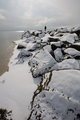
It's not Topaz Adjust, it's Topaz Detail; a different program. And yeah, I happen to have one original in my workshop, but not any of the others; I'd have to go back to photoshop and process the RAW to JPG. I'll link the one I have:
That's not the actual frame I used to make the challenge entry, but it was shot at the exact same time and exposure data, so there ya go. Does that help?
R.
ETA: You can actually click on "view full size image" and download a full-size JPG of the above image if you want to play with it with the various Topaz free trials and compare with what I came up with; it's a 5D image with the 17-40mm f/4L lens.
Thank you everyone and thank you Bear for the shots. Yes, I do like the more subtle effect of Topaz Detail. Out of curiosity, would you happen to have these shots before Topaz Adjust was applied?
It's not Topaz Adjust, it's Topaz Detail; a different program. And yeah, I happen to have one original in my workshop, but not any of the others; I'd have to go back to photoshop and process the RAW to JPG. I'll link the one I have:
That's not the actual frame I used to make the challenge entry, but it was shot at the exact same time and exposure data, so there ya go. Does that help?
R.
ETA: You can actually click on "view full size image" and download a full-size JPG of the above image if you want to play with it with the various Topaz free trials and compare with what I came up with; it's a 5D image with the 17-40mm f/4L lens.
Yes, thanks I meant to write Topaz Detail.
I will check it out
I use Detail and Adjust and love both of them. Also, they recently released Topaz Fusion (free download) so that you can use the Topaz plugins directly from Lightroom.
I use both adjust and detail. I actually use adjust more than detail.
examples:
Topaz adjust
(the original photo is displayed in the comments section of the photo)
topaz detail:
as was mentioned earlier -- download the free 30 day trials for both and see which you like better. I like them both and switch off frequently, tending toward adjust more often than detail.