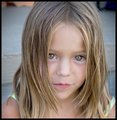
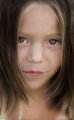
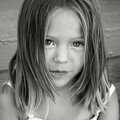
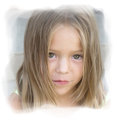
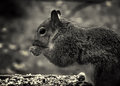
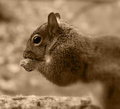
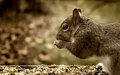
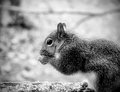
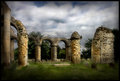
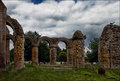
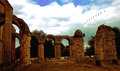
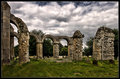
I'd like to start a 'how would you PP this?' side challenge in the honor of the "Individual Photograph" discussions that I learn so much from.
The challenge would be to post process contributed original photos to be judged against the others at the end of each week.
ETA: I'll accept originals thru Wednesday. We'll continue accepting PP'd originals thru Friday. Then, Friday night, I'll post each original alongside each PP and let the original's owner choose each winning PP (only originals with 2 PP attempts will be eligible). That will leave us with several winners at the end of each week. The person with the most wins at the end of 4 weeks can be our February PP winner.
Still a side challenge in progress, but thanks for the participation! Any thoughts appreciated...
ETA: Signing up is not necessary, but keeping track of PP participants is fun :D
Make 3 layers from image
leave the base layer alone
use Black and White on second layer, adjusting to balance diffent color brightnesses
use shadow / highlight on third layer, adjusting only highlights down, a little.
blend B & W layer as a multiple, on ~50% opacity 75% fill
blend shadow / highlight layer as normal, ~45% opacity, 40% fill
create selective color adjustment layer, adjust to taste
select all
copy merged
paste new layer
sharpen using USM
create hue / saturation adjustment layer, adjust saturation up and just a slight hue change
resize
saturate seeds using sponge tool (I would back up here normally, but I'm being lazy! :) )
save for web
That's it.. This is very typical of what I would do to one of my regular challenge entries..
I think this side challenge is going to be so interesting. I bet we all learn a lot. One thing I do not recall seeing was the editing ruleset? I presume we are aiming for either basic editing/advanced editing and keeping the expert out of this challenge?
I think I'd like to play too, please. But I'm not sure I get it. Someone puts in an original and everyone does their thing with it? How do we get the original into our own computer?
the poster needs to put it in their workshop folder, so that it will not have the transparent overlay. On the photo page there is a link titled "view full sized image". Click on that, then once the image is displayed, right click and save.
I hope the color and stuff is ok. I'm still stuck in the recliner because of my back problem, using the laptop. I've never used it for any photo editing before.
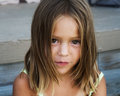
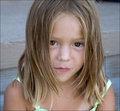
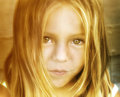
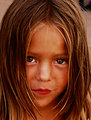
Cloned out hairs off her face, dodged and burned on the hair, even out the face, contrast on the eyes and desaturation on the background.
Smart sharpen and that's it.
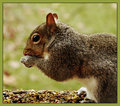
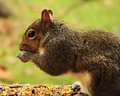
From Bridge opened in camera RAW, bumped up recovery, blacks, and vibrancy.
Topaz Detail, creative detail, bump up small details, contrast, and saturation.
Hue- sat, darken greens (grass).
Dodge and burn back legs, food, and eyes.
Sponge- saturate food.
Resize 1600, sharpen, fade sharpen 50%
Resize 800, save for web.
Nik Viveza2. Contrast: +21; Saturation +10; Structure +15
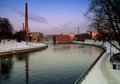
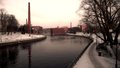
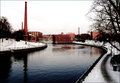
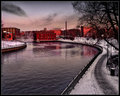
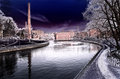
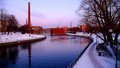
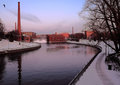
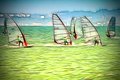
Cropped, cloned out flotsam from water.
Selectively adjusted colors in sky, water with "Selective Colors"; Blurred out the sky a touch to try to get rid of the chimney halo (which I think it opened with)
Brightened the whites with Levels. Applied Nik's noise removal.
This is a lovely image and it was fun to play with.
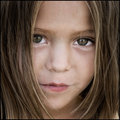
From bridge open in RAW, WB to auto, bump blacks and vibrancy.
Topaz Detail- Skin smooth, Bump small details, contrast,saturation.
Hue- sat, fade background.
Whitened eyes with dodge tool, colorized Iris with sponge tool.
Smoothed skin with clone stamp.
Crop, resize to 1600, sharpen, resize 800, save for the web.