Yes, it is. The rules were changed a few months back to allow them. I don't think the rules specifically mention them, but it falls under the filters description. Be careful of the part I have highlighted, though I have seen some pretty heavy application of it.
use filters or stand-alone utilities designed to preserve image integrity (such as Neat Image, Unsharp Mask, Dust & Scratches, and color correction tools). These filters must be applied uniformly to the entire image, and must not be used in such a way that their use becomes a feature. No “effects” filters may be applied to your image, with the exception of Noise and Gaussian Blur.
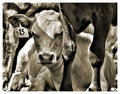
I used a moderate amount of Topaz in this entry, just after the rule change.
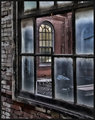
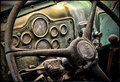
Colorcarnival tested the new rule a little further with this one:
Pretty cool what those images look like after the processing. So would this be a good purchase for someone new to PS? Or should I wait until I know somewhat of what I am doing?
Pretty cool what those images look like after the processing. So would this be a good purchase for someone new to PS? Or should I wait until I know somewhat of what I am doing?
Not knowing what I was doing never stopped me!.......8>)
Pretty cool what those images look like after the processing. So would this be a good purchase for someone new to PS? Or should I wait until I know somewhat of what I am doing?
You'll learn by doing. I'm still learning and I've had the software for over a year lol. Even with PS I am still learning.
Try Topaz Denoise and Topaz Detail - the combo of the two is amazing.
Topaz filters (except ReMask) also work with Paint Shop Pro Photo X2 & X2 Ultimate
Watch out for sky - Topaz will add noise to it like crazy (which means you'll have to mask it off, which means do not use with basic - only advance).
I'm just starting to learn to use them, but I like the results so far.
Topaz filters (except ReMask) also work with Paint Shop Pro Photo X2 & X2 Ultimate
Watch out for sky - Topaz will add noise to it like crazy (which means you'll have to mask it off, which means do not use with basic - only advance).
I'm just starting to learn to use them, but I like the results so far.
Version 2 of remask does work with PSP. Agree on the sky killing ability of Topaz. I tend to prefer using PSP's clarify adjustment there, if at all. Even clarify causes some haloing if you are overzealous with it.
The "sky killing" issue doesn't really have anything to do with skies, per se; it's about the blue channel. And it's common to all these local-area contrast enhancers, to one degree or another. The blue channels tend to be very underexposed in most captures (there's not a lot of blue illumination around) so there's a disproportionate amount of noise built in, which is read as "detail" by the software and enhanced.
The way around it is to run DeNoise *first* on the blue channel itself, *then* run Adjust or Detail. For what it's worth, Topaz Detail is a lot less abusive of skies than Topaz Adjust, but it still is an issue if you are going for very punchy effects.