I've been playing around with Topaz Details and I'm trying to get a feel for what is "too much". I find that what I think is a big adjustment doesn't seem to look as fake as a similar adjustment in Topaz Adjust but I really don't want to overdo it.
So, here's the before (from camera with only a slight crop):
Hmm...I could go either way with this one - with the foreground processed as it is it almost gives you the feeling you are sitting right amongst the growth and like popping your head up to get the shot. I do like the sky. Perhaps process the top and bottom portions separately?
I like the topaz in the sky, and in the distant background, but not in the reeds in the foreground... too distracting IMO. Can you post a pic where you select the bottom part out, and topaz the rest?
It takes a ton of practice to extract the best from Topaz and get the result to be vivid without that alomst "chromed" look that is so distinctly Topaz.
I use it for all kinds of processing, but it's very hard to get the feel right with grasses, tree bark, sand & gravel, and anything else where the original texture is desired, yet still needing some oomph to have it look distinct.
Like any tool, the more you use it, the better it gets......
This is Topazzed:
As is this:
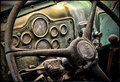
The one with the truck was considerably easier to edit with Topaz 'cause its natural graining tendencies was a desired effect.
It takes a ton of practice to extract the best from Topaz and get the result to be vivid without that alomst "chromed" look that is so distinctly Topaz.
I use it for all kinds of processing, but it's very hard to get the feel right with grasses, tree bark, sand & gravel, and anything else where the original texture is desired, yet still needing some oomph to have it look distinct.
Yes, I do find that I have a harder time getting the right look wiht greenery. I also am finding it's a bit easier to avoid the "chromed" look with the Topaz Details as opposed to the Topaz Adjust, which I suppose is the whole point of the new plug-in.
Here is my attempt to get the best of both worlds. I added a mask and using a black brush at 50% opacity, I hid some of the Topaz from the grass area.
It takes a ton of practice to extract the best from Topaz and get the result to be vivid without that alomst "chromed" look that is so distinctly Topaz.
I use it for all kinds of processing, but it's very hard to get the feel right with grasses, tree bark, sand & gravel, and anything else where the original texture is desired, yet still needing some oomph to have it look distinct.
Yes, I do find that I have a harder time getting the right look wiht greenery. I also am finding it's a bit easier to avoid the "chromed" look with the Topaz Details as opposed to the Topaz Adjust, which I suppose is the whole point of the new plug-in.
Here is my attempt to get the best of both worlds. I added a mask and using a black brush at 50% opacity, I hid some of the Topaz from the grass area.
This is much better Tammster, i think the green was the problem of the pp, and i usually don't like much edition, but now it's very natural. By the way, nice colors and nice catch!
More saturation on the blue would be too much, you think?
I like this one a bit better. Still has the POP in the sky, the bird still looks 3D almost, and the greenery still looks like you are popping out of it for the shot. Nice work!
I also prefer this last attempt. It is very easy to go over the top with Topaz Adjust. Some images look great with a cartoonish look, but landscapes aren't among them. Nice job. Here's one of mine.
I also prefer this last attempt. It is very easy to go over the top with Topaz Adjust. Some images look great with a cartoonish look, but landscapes aren't among them. Nice job. Here's one of mine.
This is gorgeous! Where is it in Florida?
I actually didn't use Topaz Adjust, I used Topaz Details. It's a little easier to avoid overdoing it with this plugin I think.
This is in a small park in Fort Myers. Most people go to the park for soccer or softball and don't even know this is here. Incidentally, I tried downloading the Details trial last night, but it failed. I am anxious to try it, as I love most Topaz products so far.
I've been playing around with Topaz Details and I'm trying to get a feel for what is "too much". I find that what I think is a big adjustment doesn't seem to look as fake as a similar adjustment in Topaz Adjust but I really don't want to overdo it.
So, here's the before (from camera with only a slight crop):
And here's after:
Left you a comment. Here is an example of what I was saying. Combined both before and after, then masked out the bottom and sharpened the out of camera area + a bit of the geese.
Topaz Adjust... Topaz Detailed... Think I prefer the TA version. Got more playing to do though.
I agree with you Dave. In this shot, the affect is kind of dreamy like in your original... sort of surreal. When you add the Topaz Detail adjustment, it just doesn't work in my opinion.