Photoshop has Duotone; by I do it in a different way. I think it give more robust results.
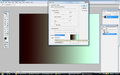
In Photoshop select the two colors you want, make one closer to white and the other closer to black.
Increase the contrast by 15 to 25 to get more power to the color if you like then save the image.
Once you are done editing your entry image. Under "image" – "adjustment" – then "match color" and all your colors will be replaced at the correct intensity.
This is how I do it if anyone is interested.
 |




